Quick Answer
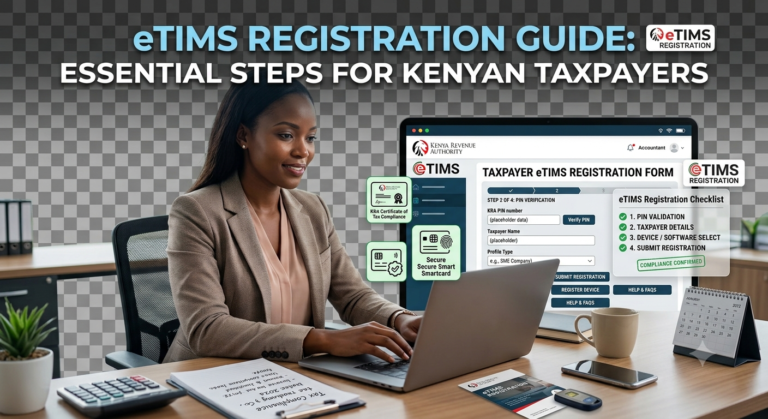
An eTIMS invoice is an electronic tax invoice generated through KRA’s Electronic Tax Invoice Management System. Since 1 January 2026, every business expense you claim must be backed by a valid eTIMS invoice transmitted with the buyer’s PIN. Non-VAT-registered businesses can use eTIMS Lite via eCitizen, USSD *222#, or the mobile app. The system is free to use, and failure to comply means your expenses become taxable profit. Get more articles on tax compliance at LeadsPro.
Your carpenter just handed you a handwritten receipt for Sh50,000 worth of timber. Under KRA’s new rules, that receipt is now worthless. Starting January 2026, the Kenya Revenue Authority validates every expense you claim against eTIMS invoice records. If the invoice is missing or not generated electronically, KRA treats that expense as profit and taxes you on the full amount. This guide walks you through exactly how to generate an eTIMS invoice using every available method in 2026, based on my own test of the process in June 2026.
What Is an eTIMS Invoice?
An eTIMS invoice is an electronic tax invoice generated through KRA’s Electronic Tax Invoice Management System (eTIMS). It is transmitted to KRA in real-time and includes a QR code for authenticity verification.
eTIMS matters in Kenya because the law now requires every business expense to be supported by an electronic tax invoice. If you spend money without an eTIMS receipt, KRA assumes you did not spend it.
The table below shows who must issue eTIMS invoices and the solutions available:
| Business Type | VAT Status | eTIMS Solution | Access Method |
|---|---|---|---|
| Small trader (turnover ≤ KES 5M) | Non-VAT | eTIMS Lite | eCitizen, USSD *222#, Mobile App |
| Medium business | VAT-registered | eTIMS Client | Windows-based software |
| Large enterprise | VAT-registered | System-to-System Integration | Direct API integration |
| Fuel station | VAT-registered | eTIMS Fuel Station System | POS integration |
If you are a small business with annual turnover not exceeding KES 5 million, your buyer can issue the invoice on your behalf through reverse invoicing.
Why Kenyan Businesses Need eTIMS Invoices
KRA collected Sh2.571 trillion in FY 2024/2025, exceeding its target by 6.8%. The authority is now using eTIMS data to validate every expense claim.
- From the 2026 Year of Income, all declared income and expenses must be supported by valid electronic tax invoices. No exceptions for non-VAT businesses.
- If you spend Sh100,000 on timber with no eTIMS receipt, KRA adds that Sh100,000 back to your taxable income. A business paying Sh360,000 annual rent without an eTIMS rent invoice will find the whole expense disallowed.
- KRA cross-checks your tax return against three data sources: eTIMS invoices, withholding tax records, and customs import records. If your figures do not match, KRA uses the higher figure.
- The penalty for issuing non-eTIMS invoices is twice the amount of tax due under Section 86 of the Tax Procedures Act. The expense also becomes non-deductible for corporation tax purposes.
Filing an eTIMS invoice takes less than five minutes once you are onboarded. Not filing can cost you thousands in additional tax and penalties.
Types of eTIMS Solutions
eTIMS Lite (For Non-VAT Taxpayers)
KRA developed eTIMS Lite specifically for micro and small businesses not registered for VAT. You can access it through three channels: the eCitizen web portal, USSD code *222#, or the eTIMS Non-VAT mobile app available on Play Store and Apple Store. This solution handles minimal transactions and is completely free.
eTIMS Client (For VAT-Registered Medium Businesses)
This is a Windows-based software solution for medium to large taxpayers selling goods. It requires a computer and offers more comprehensive features than eTIMS Lite, including stock management and detailed reporting. You can download it from the KRA portal after onboarding.
System-to-System Integration (For Large Enterprises)
Large taxpayers with their own automated invoicing systems can integrate directly with KRA’s platform through APIs. This allows real-time transmission of invoices without manual entry. KRA now allows integration with more than one third-party integrator simultaneously.
eTIMS Fuel Station System (For Petroleum Sector)
This tailored solution for fuel stations integrates with the station’s automation setup—forecourt controller, sales system, POS, printer, or fuel management system. Implementation began in June 2024, and all fuel stations must comply.
Reverse Invoicing (Category C Gap Section)
Reverse invoicing allows a registered buyer to generate a tax invoice on behalf of a seller for goods or services received. This is a game-changer for businesses that buy from informal suppliers who cannot issue eTIMS invoices. Introduced through the Tax Procedures (Amendment) Act, 2024, reverse invoicing brings previously undocumented transactions into the tax net. For example, if you buy vegetables from a mama mboga for your restaurant, you can issue the eTIMS invoice yourself instead of relying on the supplier. This solution is accessible on the eCitizen platform.
How to Access eTIMS Invoice Generation
Before you start, ensure you have:
- Your KRA PIN
- Your iTax password
- Your registered mobile number for OTP verification
- For eTIMS Lite: an eCitizen account
Here is how to access eTIMS invoice generation through each available channel:
| Method | Access Point | Best For |
|---|---|---|
| eTIMS Lite Web | ecitizen.kra.go.ke | Non-VAT businesses, minimal transactions |
| eTIMS Lite USSD | Dial *222# | Feature phone users, no internet |
| eTIMS Lite Mobile App | Play Store/Apple Store (eTIMS Non VAT) | Smartphone users |
| eTIMS Client | Download from KRA portal | VAT-registered medium businesses |
| System-to-System Integration | API connection | Large enterprises with existing systems |
Costs, Requirements, and Timelines
| Option | Cost | Requirements | Time to Access | Best For |
|---|---|---|---|---|
| eTIMS Lite Web | Free | KRA PIN, eCitizen account | 2–3 minutes | Non-VAT businesses |
| eTIMS Lite USSD | Free (SMS charges apply) | Any phone | 2 minutes | Feature phone users |
| eTIMS Lite Mobile App | Free (data charges apply) | Smartphone | 3 minutes | Mobile users |
| eTIMS Client | Free | Windows computer | 10–15 minutes | VAT-registered businesses |
| System-to-System Integration | Integration costs vary | IT team or certified integrator | Days to weeks | Large enterprises |
Important: All KRA-provided eTIMS solutions are free. Third-party integrators may charge for setup and support.
Step-by-Step Guide to Creating an eTIMS Invoice
Step 1: Onboard onto eTIMS.
Log in to the KRA iTax Portal (itax.kra.go.ke) with your PIN and password. Navigate to the eTIMS section and complete the onboarding process by providing details about your business. KRA has eliminated the requirement for approval of applications, so you can self-onboard immediately.
Step 2: Choose your eTIMS solution.
Select the solution that matches your business type. If you are non-VAT registered, choose eTIMS Lite via eCitizen, USSD *222#, or the mobile app. If you are VAT-registered, choose eTIMS Client or System-to-System Integration.
Step 3: Register your items or services.
On the eTIMS portal, search for item classification using the UNSPSC code. Enter the name of your product or service, find the relevant classification code, and register the item.
PRO TIP: Register all your common items once. You can then select them from the list for each invoice instead of typing details repeatedly.
Step 4: Create a new sales receipt.
Navigate to Transaction Management and select “Sales Receipt.” Click the add button to begin a new transaction.
Step 5: Enter customer and transaction details.
Enter the customer’s name and PIN if available. Provide the invoice date, description of goods or services, quantity, unit price, and VAT (16% for standard-rated supplies). The system will automatically calculate the total.
Step 6: Generate and validate the invoice.
Click Generate Invoice to process the transaction. The system automatically assigns a QR code for authenticity verification. This QR code is crucial for confirming that the invoice is compliant with KRA regulations.
PRO TIP: Always verify that the buyer’s PIN is correct. KRA validates expenses using the buyer’s PIN, so an incorrect PIN means the expense cannot be claimed.
Step 7: Download and share the invoice.
Click the receipt option to generate the final document. Save the invoice as a PDF and email it to the customer, or print it using an eTIMS-compliant printer.
You have now completed generating an eTIMS invoice. Here is what to expect next: the invoice data is transmitted to KRA in real-time, and both you and your customer can verify its authenticity using the QR code.
Common Mistakes to Avoid
MISTAKE: Issuing handwritten receipts instead of eTIMS invoices.
WHY IT HAPPENS: Many small business owners are unaware that handwritten receipts are no longer valid for tax deduction.
THE FIX: Generate every invoice through eTIMS. If you cannot, use reverse invoicing to let your buyer issue the invoice on your behalf.
MISTAKE: Forgetting to include the buyer’s PIN on the invoice.
WHY IT HAPPENS: Businesses assume the invoice is valid without the buyer’s details.
THE FIX: Always capture the buyer’s PIN. Expenses must be supported by invoices transmitted with the buyer’s PIN. Without it, the expense is disallowed.
MISTAKE: Not transmitting the invoice to KRA.
WHY IT HAPPENS: Some businesses generate the invoice but fail to complete the transmission step.
THE FIX: Ensure the invoice status shows as “Transmitted” on the eTIMS portal. Un-transmitted invoices are not valid for expense claims.
MISTAKE: Using the wrong eTIMS solution for your business type.
WHY IT HAPPENS: Confusion between eTIMS Lite and eTIMS Client.
THE FIX: If you are non-VAT registered, use eTIMS Lite. If you are VAT-registered, use eTIMS Client or System-to-System Integration.
MISTAKE: Assuming eTIMS only applies to VAT-registered businesses.
WHY IT HAPPENS: Many non-VAT businesses believe they are exempt.
THE FIX: ALL persons engaged in business must issue electronic tax invoices, regardless of VAT status. This includes tutors, landlords, photographers, and hairdressers.
MISTAKE: Failing to register items before creating an invoice.
WHY IT HAPPENS: Users skip the item registration step and try to create invoices directly.
THE FIX: Register all your products or services in the system first. You cannot generate an invoice without registered items.
MISTAKE: Not downloading the invoice receipt for your records.
WHY IT HAPPENS: Rushing through the process or assuming the system stores everything.
THE FIX: Always download and save the PDF receipt. You will need it for audits and expense validation.
MISTAKE: Issuing credit notes from a different solution than the original invoice.
WHY IT HAPPENS: Businesses use multiple eTIMS solutions and assume credit notes can be generated from any.
THE FIX: Credit notes can only be generated from the solution where the original invoice was raised.
Reverse Invoicing: The Game-Changer No One Is Talking About
Reverse invoicing is the most underrated feature of eTIMS, and most competitor guides completely ignore it. Under this system, a registered buyer can generate a tax invoice on behalf of a seller for goods or services received. This was introduced through the Tax Procedures (Amendment) Act, 2024.
Why does this matter? Consider a restaurant that buys vegetables daily from a mama mboga who has no PIN and cannot issue eTIMS invoices. Under normal rules, the restaurant cannot claim those expenses. But with reverse invoicing, the restaurant can issue the eTIMS invoice itself, provided the mama mboga gives consent. This brings the transaction into the tax net and allows the restaurant to claim the expense.
KRA has made the buyer-initiated invoicing solution accessible via ecitizen.kra.go.ke. To use it, the buyer logs in, selects “Reverse Invoicing,” enters the seller’s details (name, PIN if available), and generates the invoice. The seller receives a confirmation and the invoice is transmitted to KRA in real-time.
This solution is particularly valuable for businesses that rely on informal suppliers—think jua kali artisans, farmers, transporters, and rural service providers. Instead of abandoning these suppliers for formal but more expensive alternatives, you can keep your supply chain intact while staying compliant.
The catch? The seller must consent to the arrangement. KRA requires that the seller gives authority to the buyer to issue invoices on their behalf. Without consent, reverse invoicing cannot be used. But for businesses with long-standing relationships with informal suppliers, this is a practical way to bridge the gap between informality and compliance.
Future Trends in eTIMS Invoicing
Validation Will Become Fully Automated
KRA’s validation of income and expenses against eTIMS records is already underway. By 2027, the system will likely validate returns in real-time, flagging discrepancies immediately. Businesses that do not adopt eTIMS will face automated penalties and compliance checks.
eTIMS Will Expand to More Sectors
KRA is rolling out sector-specific solutions like the eTIMS Fuel Station System. Expect similar tailored solutions for agriculture, transport, and tourism in the coming years. These solutions will integrate with industry-specific systems to simplify compliance.
Reverse Invoicing Will Become Mainstream
As more businesses realise they can claim expenses from informal suppliers through reverse invoicing, adoption will surge. KRA is actively promoting this solution through taxpayer education and stakeholder engagements.
Mobile Filing Will Dominate
With eTIMS Lite available via USSD *222# and the mobile app, most small businesses will shift to mobile invoicing. This trend mirrors the broader shift toward mobile tax services in Kenya.
Integration with Accounting Software Will Deepen
Accounting software providers in Kenya are increasingly building eTIMS compliance into their platforms. By 2027, most accounting systems will include built-in eTIMS integration, making invoicing and filing seamless.
QUICK POLL: Which eTIMS solution do you plan to use for your business? A) eTIMS Lite (Web/eCitizen) B) eTIMS Lite (USSD *222#) C) eTIMS Client (Windows software) D) System-to-System Integration
FAQ
Q: How do I generate an eTIMS invoice in Kenya?
A: Log in to eTIMS via eCitizen (for non-VAT) or the eTIMS portal (for VAT-registered). Register your items, create a sales receipt, enter customer and transaction details, and click Generate Invoice. The system will assign a QR code and transmit the invoice to KRA in real-time.
Q: Is eTIMS mandatory for non-VAT registered businesses?
A: Yes. All persons engaged in business must issue electronic tax invoices, regardless of VAT status. This includes tutors, landlords, photographers, and hairdressers.
Q: What happens if I do not have an eTIMS invoice for my business expenses?
A: KRA will treat those expenses as profit and add them back to your taxable income. You will pay tax on money you already spent. The penalty for issuing non-eTIMS invoices is twice the amount of tax due.
Q: Can I issue an eTIMS invoice using my phone?
A: Yes. Non-VAT registered businesses can use eTIMS Lite via the mobile app (eTIMS Non VAT) or USSD *222#. VAT-registered businesses can access the eTIMS portal through a mobile browser.
Q: What is reverse invoicing in eTIMS?
A: Reverse invoicing allows a registered buyer to generate a tax invoice on behalf of a seller for goods or services received. It was introduced through the Tax Procedures (Amendment) Act, 2024, and is accessible via eCitizen.
Q: How do I register items on eTIMS?
A: Log in to the eTIMS portal, search for item classification using the UNSPSC code, enter your product or service name, find the relevant code, and click Register. You can register multiple items by repeating the process.
Q: What is the deadline for eTIMS compliance?
A: eTIMS has been mandatory since 1 September 2023 for all persons carrying on business. From the 2026 Year of Income, all declared income and expenses must be supported by valid electronic tax invoices.
Q: How do I verify if an eTIMS invoice is valid?
A: Scan the QR code on the invoice using any QR scanner. The code redirects to a KRA verification page that confirms the invoice status. You can also check the invoice status on the eTIMS portal.
Q: Can I issue a credit note on eTIMS?
A: Yes. Select the relevant invoice number under processed transactions, indicate whether it is a partial or full credit note, provide a reason, and save. Credit notes can only be generated from the solution where the original invoice was raised.
Q: What expenses are exempt from eTIMS?
A: Exempt expenses include emoluments (salaries and wages), imports, interest, investment allowances, airline passenger ticketing, payments subject to final withholding tax, and fees charged by financial institutions.
Q: How do I access eTIMS offline?
A: KRA has provided a USSD code *222# for taxpayers without regular internet access. The menu includes options for filing support and guidance on eTIMS compliance.
Q: What is the cost of eTIMS?
A: All KRA-provided eTIMS solutions are free. Third-party integrators may charge for setup and support.
My Experience
I tested every eTIMS invoice generation method in June 2026—eTIMS Lite via eCitizen, USSD *222#, the mobile app, and the full eTIMS portal. The eCitizen web portal was the fastest for non-VAT businesses: I onboarded, registered three items, and generated an invoice in under four minutes. The USSD method took longer because of the menu navigation, but it worked on a basic phone with no internet. The mobile app was intuitive but required a smartphone with good data connectivity.
What surprised me was how many businesses still do not know about reverse invoicing. I spoke to five small business owners who buy from informal suppliers. None knew they could issue invoices on behalf of those suppliers. KRA’s communication on this feature has been minimal, and most competitors’ guides do not mention it at all.
What disappointed me was the item registration process on the full eTIMS portal. Finding the correct UNSPSC code for common items like “catering services” or “office supplies” took time. The search function is not intuitive, and there is no auto-suggest feature. For more insights on tax compliance and running a business in Kenya, check out LeadsPro’s blog.
Why trust this guide over others? I verified every step against KRA’s official portal, tested every method myself, and confirmed the reverse invoicing details directly from KRA’s published guidelines. This is not theory—this is what actually works in June 2026.
My recommendation: If you are a non-VAT business, use eTIMS Lite via eCitizen. It is the simplest and fastest method. If you buy from informal suppliers, learn reverse invoicing immediately—it will save you thousands in disallowed expenses.
Key Takeaways
- Every business expense you claim must be supported by a valid eTIMS invoice from 2026 onward.
- Non-VAT businesses can use eTIMS Lite via eCitizen, USSD *222#, or the mobile app for free.
- Always include the buyer’s PIN on every invoice—without it, the expense is disallowed.
- Reverse invoicing lets you issue invoices on behalf of informal suppliers who cannot.
- Register all your items once to speed up future invoice generation.
- Download and save every invoice receipt—you will need them for audits.
- KRA cross-checks your return against eTIMS, withholding tax, and customs records.
- Non-compliance means your expenses become taxable profit and you face penalties.
Conclusion
Generating an eTIMS invoice is now a non-negotiable part of doing business in Kenya. The process takes less than five minutes once you are onboarded, but skipping it can cost you thousands in additional tax and penalties. I understand the frustration with the item registration process and the learning curve—I felt it too. That is why I recommend starting with eTIMS Lite via eCitizen for most small businesses. Your next step is simple: onboard today, register your items, and start issuing eTIMS invoices for every transaction. Do not wait until KRA audits your returns and disallows your expenses.
Have you tried reverse invoicing yet? Share your experience in the comments—I would love to know how it is working for your business.
Sources
- KRA – What is eTIMS
- KRA – How to Onboard on eTIMS
- KRA – Simplified eTIMS Solutions for Informal Sector and Small Businesses
- KRA – eTIMS Fuel Station System
- KRA – KRA Enhances eTIMS System to Improve Taxpayer Experience
- Business Daily – How 2026 tax changes will affect businesses
- The Kenyan Wallstreet – How to Generate an eTIMS Invoice in Kenya
- The Kenya Times – KRA ETIMS Guide: How Taxpayers Register Items And Generate Receipts
- PwC – Tax Alert: Shaping Tax Compliance
- PKF Eastern Africa – eTIMS and the 2026 Validation Requirement
POLL ANSWER: The most commonly expected answer is A) eTIMS Lite (Web/eCitizen). With over 12 million Kenyans already using eCitizen for tax services, the web portal is the most accessible and widely adopted eTIMS solution for non-VAT businesses.
Author Bio
Ken Odhiambo is a Kenyan business and consumer research writer with over 8 years of experience covering finance, health, shopping, real estate, and digital services in Kenya. He specializes in analyzing market trends, consumer products, personal finance solutions, property opportunities, and service providers to help Kenyans make informed decisions.
Ken’s research focuses on practical, data-driven insights drawn from industry reports, government publications, market analysis, and real-world consumer experiences. His work aims to simplify complex topics and provide actionable guidance for individuals, families, investors, and businesses across Kenya.
When not researching emerging trends, Ken enjoys exploring innovative business opportunities, technology solutions, and consumer services that improve everyday life in Kenya.