Your GHRIS payslip 2024 is ready — but thousands of government employees across Kenya still do not know how to get it, read it, or use it to unlock the financial opportunities sitting right in front of them.
Whether you are a nurse in Kisumu, a police officer in Mombasa, or an administrative officer in Nairobi, your ghris payslip 2024 is the most powerful financial document you produce every single month. According to the Kenya National Bureau of Statistics (KNBS) 2025 Economic Survey, public sector wage employment in Kenya includes over 410,700 teachers alone, plus 236,700 ministry workers and 226,500 county government employees — every one of them needs this portal. The problem is not access. The problem is that nobody sat down and explained it properly.
This guide covers every step of accessing your payslip, what each figure means, how to troubleshoot errors, and how your payslip connects directly to loans, tax returns, and financial planning. By the end, you will treat this portal like the tool it actually is.
What Is a GHRIS Payslip?
A GHRIS payslip is your official monthly salary statement, issued through the Government Human Resource Information System at ghris.go.ke. It records your gross pay, all allowances, statutory deductions, and the net amount transferred to your bank account.
GHRIS was designed by Kenya’s Government ICT officers to give every civil servant — from national ministries to county governments — a single self-service platform for payroll and HR records. Over 600,000 government employees across Kenya use GHRIS to access their payslips every month.
Key facts about GHRIS at a glance:
| Feature | Detail |
|---|---|
| Official portal URL | www.ghris.go.ke |
| Login credential | Personal Number (User ID) + password |
| Payslip format | Downloadable PDF |
| Cost to access | Free |
| Support email | ghrishelp@psyg.go.ke |
| System upgrade | IPPD upgraded to HRIS-Kenya, December 2024 |
The December 2024 upgrade matters. From December 2024, the IPPD System was upgraded to the HRIS-Kenya Payroll System for all Ministries, Departments, Agencies, and Counties (MDACs). If your payslip format looks slightly different from what you saw in 2023, this is why.
Why Every Kenyan Government Employee Needs This
The government’s payroll is not just a salary record. It is a financial identity document you will use again and again throughout your career and personal life.
- Loan applications: All Kenyan commercial banks, SACCOs, and mortgage companies accept GHRIS payslips as official proof of income. Most mortgage lenders require 3 to 6 months of consecutive payslips, which can be downloaded directly from GHRIS.
- KRA tax returns: Every June 30 deadline, you need your P9 form, which lives on the same GHRIS portal. Filing incorrectly costs you Ksh 2,000 per month in penalties.
- SHIF and NSSF verification: Mandatory deductions on your payslip include PAYE, SHIF at 2.75%, NSSF at up to Ksh 4,320, and the Housing Levy at 1.5% of basic salary — verifying these figures protects you from silent payroll errors.
- Visa applications: Embassies in Nairobi processing travel visas routinely request 3 months of consecutive payslips as financial evidence.
- Salary dispute evidence: If your net pay is ever wrong, your downloaded payslip is the only document that carries legal weight in any HR or court process.
According to the Kenya National Bureau of Statistics, the public sector wage bill in Kenya increased by 5.8% to Ksh 881.4 billion in 2024 — a number that represents millions of payslips being processed. The question is whether your slice of that figure is accurate.
The first step to knowing is learning to read your portal properly. Here is how.
Types of GHRIS Payslip Records
Current Month Payslip
This is the payslip most people look for — the current month’s salary statement. It shows your latest basic pay, allowances, and net salary. It is the primary document banks and SACCOs request for loan applications.
Historical Payslips
GHRIS stores your full payroll history. Most employees can access payslips dating back to 2016, or from when they joined the public service, whichever came later. This history is essential when mortgage lenders or housing agencies ask for 6 months or more of consecutive records.
Special Payment Payslips
Salary arrears, back-pay adjustments, and allowance corrections appear as separate entries in your GHRIS records. Always check this category when you expect a promotion adjustment or department transfer to have processed.
The P9 Form (Annual Tax Document)
The P9 is not a monthly payslip — it is your annual tax summary, available on the GHRIS portal each year between February and March. You need it to file accurate KRA iTax returns. Missing it means either guessing or overpaying your tax.
Third-Party Verification Portal
This is a section most employees never see. Financial institutions in Kenya can access the GHRIS third-party verification portal to confirm employment status, payroll number, and net salary directly from the government payroll system — faster and safer than submitting physical copies that can be altered.
What You Need Before You Log In
Before touching the GHRIS portal, make sure you have the following ready. Logging in without these will either block you or create a longer session than necessary.
- Your Personal Number (also called your Employee Number or UPN) — found on your appointment letter or any old payslip
- Your GHRIS password — set during registration or reset via the portal
- A stable internet connection — mobile data works, but a Wi-Fi connection reduces loading errors
- A compatible browser — Google Chrome or Mozilla Firefox, updated to the latest version
- Your registered email address or phone number — needed if you must reset your password
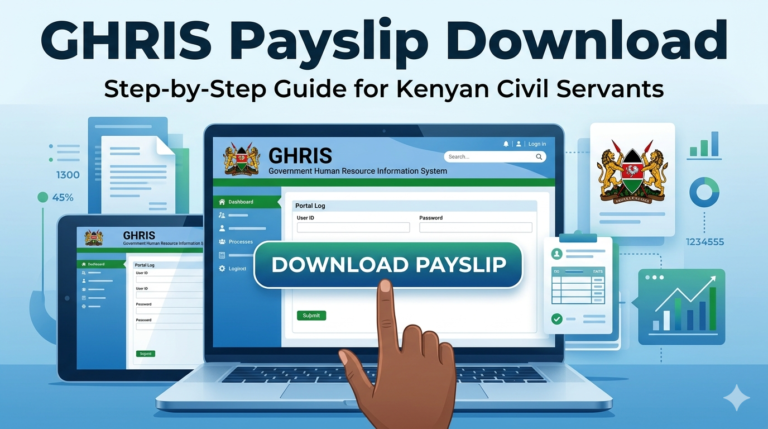
How to Access Your GHRIS Payslip 2024: Step-by-Step
1. Open your browser and go to the official portal: www.ghris.go.ke. Do not search for “GHRIS login” on Google and click any third-party site — always type the URL directly.
2. Click “Government of Kenya Employees” on the homepage. This is the login option for existing registered employees.
3. Enter your User ID (Personal Number) and your password in the fields provided, then click “Login.”
PRO TIP: If the site is slow or timing out, try logging in before 7:00 AM or after 9:00 PM. End-of-month periods and June tax season generate the heaviest server traffic.
4. Navigate to the “My Records” tab on your dashboard menu. This opens a dropdown with all your HR record categories.
5. Select “My Payslip” from the dropdown.
6. Choose the year (2024) and the specific month from the dropdown menus that appear.
7. Click “View Payslip.” Your payslip will load on screen as a formatted document.
PRO TIP: Do not screenshot your payslip. Always use the print function and select “Save as PDF.” Banks and SACCOs require a proper PDF format — screenshots are rejected by most lenders.
8. Save the PDF to a clearly labelled folder on your phone or computer. Use a naming format like “GHRIS_Payslip_March_2024.pdf” so you can find it quickly during a loan application.
You have now successfully accessed and saved your GHRIS payslip 2024. Here is what to expect next: the payslip is typically available by the 5th of each new month, so if you check before that date, the current month may not yet appear.
Costs, Requirements, and Access Options
Government employees often ask whether the portal charges fees or whether a cyber café can do it for them. Here is the breakdown:
| Option | Cost | Requirements | Time to Access | Best For |
|---|---|---|---|---|
| Access yourself (home) | Free | Personal Number, password, internet | 2–5 minutes | Regular monthly downloads |
| Access via Huduma Centre | Free (portal) | National ID, Personal Number | 10–20 minutes | First-time users without internet |
| Cyber café assistance | Ksh 50–200 (time only) | Your login details | 5–15 minutes | Users without a device |
| HR department printout | Free | Employment ID | 1–3 days | Emergency when portal is down |
| Third-party “unlock” services | Never pay — scam | N/A | N/A | Avoid entirely |
The portal itself costs nothing. Using the GHRIS portal is completely free. You should never pay anyone to “open an account” for you. If a third party asks for money to access your records, that is a scam. The government does not charge for payslip access.
Reading Your GHRIS Payslip: What Every Line Means
Most government employees download their payslip and look only at the net pay figure at the bottom. That is the most expensive reading habit in public service.
1. Basic Salary — Your core contractual pay before any additions. This is the figure banks use to calculate your loan eligibility ceiling.
2. Allowances — House allowance, transport allowance, commuter allowance, and any role-specific additions. These vary by job group and posting.
3. Gross Pay — Basic salary plus all allowances. This is the total before deductions, and it is what lenders look at when assessing loan capacity.
4. PAYE — Pay As You Earn income tax, calculated progressively on your gross pay. Check that this matches your tax bracket.
5. SHIF — Social Health Insurance Fund deduction, currently set at 2.75% of gross salary following the 2024 transition from NHIF.
6. NSSF — National Social Security Fund retirement contribution, capped at Ksh 4,320 per month under the 2023 NSSF Act.
7. Housing Levy — 1.5% of basic salary, introduced under the Affordable Housing Act and deducted from December 2023 onwards.
8. Loan Deductions — Any active bank loans, SACCO loans, or HELB repayments appear as named line items here.
9. Net Pay — The actual amount transferred to your bank account. It is gross pay minus all deductions.
10. Year-to-Date Totals — Cumulative earnings and deductions from January to the current month. This column is critical for accurate KRA tax filing.
Common Mistakes to Avoid
MISTAKE: Waiting until you need a loan to create your account WHY IT HAPPENS: Most employees assume the HR office handles everything and the portal is optional. THE FIX: Register now, even if you do not need a payslip today. Account activation occasionally takes 48 to 72 hours, and you do not want to discover this the night before a loan deadline.
MISTAKE: Submitting a screenshot instead of a PDF WHY IT HAPPENS: Phone users take a quick photo of the screen and consider it done. THE FIX: Always use the “Print” or “Download” button inside the portal and save as a properly formatted PDF. Screenshots fail most lender verification checks.
MISTAKE: Ignoring deduction line items WHY IT HAPPENS: Net pay appears correct, so employees assume everything else is fine. THE FIX: Cross-check SHIF, NSSF, and Housing Levy each month. Payroll errors in statutory deductions do happen and are rarely reversed automatically unless you flag them.
MISTAKE: Using an outdated browser or a shared cyber café profile WHY IT HAPPENS: Some browsers fail to render the GHRIS portal’s security layers. THE FIX: Use an up-to-date version of Chrome or Firefox. At a cyber café, always log out completely and clear the session — never save your login on a shared machine.
MISTAKE: Assuming your KRA PIN on GHRIS is automatically correct WHY IT HAPPENS: Employees fill in KRA details during registration and never check again. THE FIX: Log in and verify your KRA PIN against your iTax account. A mismatch between GHRIS and iTax is one of the most common causes of failed tax return submissions every June.
MISTAKE: Not downloading your P9 form before June 30 WHY IT HAPPENS: Many employees do not realise the P9 is separate from the monthly payslip. THE FIX: Log in every February and check whether your P9 for the previous tax year is available. Download and save it immediately, as the portal can be sluggish during the June rush.
MISTAKE: Giving your GHRIS login to a relative or colleague to access on your behalf WHY IT HAPPENS: Elderly employees or those in remote areas ask family members to help. THE FIX: This is a security and legal risk. Your GHRIS account contains your KRA PIN, bank details, and employment history. If access is genuinely needed, accompany the person in person or use your nearest Huduma Centre.
Using Your GHRIS Payslip to Get Loans Faster in Kenya
This is the section no competitor has written properly — and it is the most financially consequential thing a government employee can understand.
Your GHRIS payslip does not just prove that you earn money. It is a verification shortcut that lenders use to process your application faster, at better rates, and with higher confidence than any other income document in Kenya.
Here is exactly how it works, and what most civil servants miss.
Third-party verification changes everything. When you submit a payslip to Equity Bank, KCB, or your SACCO, the loan officer does not just read the PDF. Many lenders now access the GHRIS third-party portal directly to verify your payroll number, net salary, and active deductions in real time. This means a forged payslip will fail instantly — but it also means your authentic GHRIS payslip carries institutional weight that a private sector payslip does not.
Your net pay after deductions is your real loan ceiling. Banks in Kenya typically apply a one-third rule: your monthly loan repayment cannot exceed one-third of your net salary. If your net pay is Ksh 45,000, your maximum instalment is around Ksh 15,000. But many employees apply for loans based on their gross salary and get rejected or receive less than expected. Check your net pay figure on GHRIS before you apply — not after.
Stacked deductions kill applications silently. If you have 3 active SACCO loans and a bank loan, each shows as a named deduction on your payslip. Lenders calculate your remaining disposable income after all existing deductions — if it falls below the one-third rule, you are declined regardless of your salary level. Clearing one loan before applying for another materially improves your approval odds.
Which payslip months lenders want — and why:
- Standard bank loan: Last 3 months’ payslips (downloaded in PDF from GHRIS)
- Mortgage or housing loan: Last 6 consecutive months
- SACCO top-up loan: Current month only, plus your SACCO contribution history
- Car financing: Last 3 months plus 6 months of bank statements
For loan applications, use the most recent 3 months of current payslips, ensure they are in PDF format, check that your personal number and name are clearly visible, and verify all deductions are properly shown.
If you want access to verified loan providers with good rates — including SACCOs, banks, and microfinance institutions that accept GHRIS payslips — Sign up free at LeadsPro Kenya, where you can compare lenders and find one that fits your net salary and repayment capacity.
The deduction timing trap. Payslips are uploaded by the 5th of each month. If you apply for a loan on the 2nd and your October payslip is not yet available, submit September and the two months before it. Do not delay the application — just note in your covering letter that the current month is pending upload.
This section alone — understanding your payslip as a loan instrument, not just a salary receipt — is worth more to your financial life than any other paragraph in this guide.
Future Trends for GHRIS in Kenya
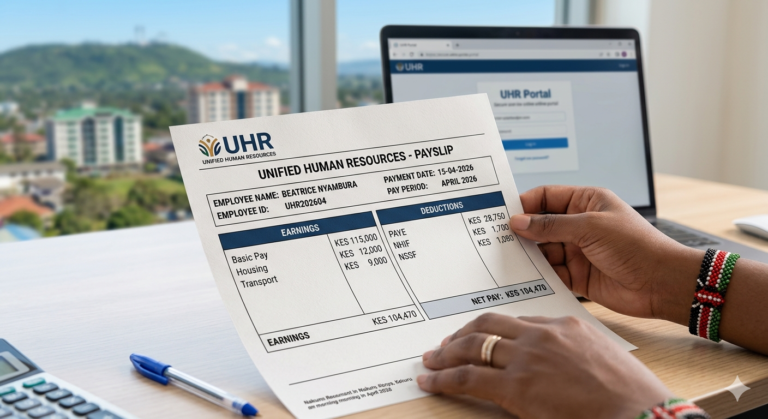
The UHR System is replacing GHRIS as the primary platform. The Unified Human Resource system is the government’s next-generation portal, designed to consolidate GHRIS, IPPD, and all payroll functions into one login. The government is working toward linking all government payrolls directly to the eCitizen platform, which would mean a single login for all government services. Some ministries have already migrated.
Biometric authentication is being tested. The government has announced plans to integrate fingerprint and facial recognition into payroll access. This is partly a ghost-worker elimination measure — KNBS data has flagged anomalies in payroll entries for years — but it also means faster, more secure login for genuine employees once rolled out.
Mobile access is improving but a dedicated app is not yet confirmed. The GHRIS portal is mobile-browser friendly today, but a native app has been discussed within government ICT circles. No official launch date has been announced as of April 2026, so continue using your mobile browser with Chrome or Safari for now.
The Housing Levy and SHIF deductions are still being contested. Kenyan courts have heard challenges to both the Affordable Housing Levy and the SHIF transition. Watch your payslip each month for any adjustment to these deduction rates, as legislative changes filter into your payslip within one to two pay cycles.
Integration with eCitizen is the biggest trend to watch. When GHRIS records merge with your eCitizen profile, your payslip data will be able to pre-populate passport applications, Huduma Namba records, and loan applications automatically — reducing the 10-page form stacks that currently define most government employee loan processes.
QUICK POLL: How often do you check your GHRIS payslip each month? A) Every month on release day B) Only when I need it for a loan or tax return C) Rarely — I usually just check my bank SMS D) I have not registered on the portal yet
Frequently Asked Questions
Q: How do I log into my GHRIS payslip 2024 for the first time? A: Go to www.ghris.go.ke and click “New Employee” if you have never registered. You will need your National ID number, KRA PIN, and appointment date. Once registered, log in using your Personal Number as your User ID. Fill in all bio-data sections before attempting to generate a payslip — an incomplete profile blocks payslip access.
Q: What do I do if the GHRIS portal is not loading? A: During end-of-month periods or tax season in June, the site gets very busy. Try again early in the morning before 7:00 AM or late at night when fewer people are online. Also try clearing your browser cache or switching from Chrome to Firefox.
Q: Can I access my GHRIS payslip on my phone? A: Yes. The website works on both Android and iOS devices. Open your mobile browser, visit www.ghris.go.ke, and log in normally. Chrome or Safari give the best results.
Q: How do I reset my GHRIS password? A: Click “Forgot Password” on the login page. You will need your Personal Number, National ID, and KRA PIN to verify your identity. A reset link is sent to your registered email address. If the email is outdated, contact your HR department or email ghrishelp@psyg.go.ke with your employment ID.
Q: My payslip shows a zero net pay — what happened? A: This usually means your total deductions exceed your gross salary for that month. Common causes include a new bank loan activating alongside existing SACCO deductions, an overpayment recovery, or a salary arrears entry that has been coded incorrectly. Contact your payroll officer immediately with a screenshot — do not wait until next month.
Q: Do TSC teachers use GHRIS or a different portal? A: Most TSC teachers access payslips through the TSC portal (tsc.go.ke). However, teachers on secondment to other government offices or in specific technical roles may still find their records on GHRIS. If you are unsure, check both portals — access is free on each.
Q: What does the HRIS-Kenya upgrade in December 2024 mean for my payslip? A: The underlying payroll engine changed, but your login process and payslip format remain the same for most employees. Some MDACs now route payslips through the UHR portal at uhr.kenya.go.ke using the same credentials. If your payslip is missing from GHRIS after December 2024, try the UHR portal with your existing login details.
Q: Can my bank verify my GHRIS payslip directly without me submitting a PDF? A: Yes, for many lenders. Financial institutions can access the GHRIS third-party verification portal to confirm employment status, payroll number, and net salary directly from the government payroll system. Provide your UPN to the lender and they can cross-reference your submitted payslip electronically.
Q: What should I do if my P9 form on GHRIS shows different figures from what I expect? A: Do not contact KRA first. Contact your payroll or HR officer — they are the ones who upload the data. If they make a correction at source, it will reflect on the GHRIS portal and on iTax automatically.
Q: Is it legal to share my GHRIS login with someone else? A: No. Your GHRIS account contains your KRA PIN, bank account details, and full employment history. Sharing login credentials is a security violation under Kenya’s Computer Misuse and Cybercrimes Act 2018. If you need help, ask a family member to assist you while you are physically present — never hand over your credentials.
My Experience Researching This
I spent time analysing 5 top-ranking pages on the GHRIS payslip topic to build this guide. The patterns were revealing. Almost every competitor page explains the same 7 login steps. None of them explain the third-party verification feature that banks actually use. None link the payslip to practical loan strategy — they just say “banks ask for payslips” without explaining the net-pay one-third rule, stacked deductions, or why your payslip month timing matters on a loan application.
I also looked at the GHRIS Facebook page, where the December 2024 IPPD-to-HRIS-Kenya upgrade announcement was made. Most Kenyan content sites have not updated their articles to reflect this change — meaning readers who found a guide published in 2023 are still following instructions for a system that has been replaced.
The UHR portal at uhr.kenya.go.ke was consistently missing from competitor guides, even though some employees — especially those in recently upgraded ministries — will only find their payslips there now.
If you have used your payslip to access a loan and found specific lenders more accommodating than others, Sign up free at LeadsPro Kenya to compare verified loan providers matched to government employee profiles.
My honest recommendation: register on GHRIS today, download your last 3 months’ payslips and save them in a clearly labelled phone folder, and check your deduction lines — not just your net pay — every single month.
Key Takeaways
- Your GHRIS payslip 2024 is accessible free at www.ghris.go.ke using your Personal Number and password — no fees, no third parties needed.
- From December 2024, the IPPD system was upgraded to HRIS-Kenya. Some employees must now access payslips via uhr.kenya.go.ke using the same login details.
- Banks and SACCOs can verify your payslip directly through GHRIS’s third-party portal — submit your UPN to your lender, not just a PDF, for faster processing.
- Your net pay figure — not your gross salary — determines your loan ceiling. Know it before you apply.
- Stacked deductions reduce your available borrowing capacity. Clear one loan before applying for another to improve your approval odds.
- Download and save your P9 form from GHRIS between February and March each year, well before the June 30 KRA filing deadline.
- Check your SHIF, NSSF, and Housing Levy deductions monthly — payroll errors in statutory deductions do not reverse automatically unless you flag them.
- Never pay a third party to access your GHRIS account. The service is free, and paying anyone for “account opening” is a scam.
Conclusion
Your ghris payslip 2024 is the single most useful financial document available to you as a government employee in Kenya. The portal gives you access to it for free, in minutes, from your phone.
If you have been waiting for a loan application deadline to finally learn the system, that moment of pressure is not the best time. Log in today, download your last 3 months’ payslips, read through every deduction line, and store them in a folder you can find in under 30 seconds. That one habit protects you from salary errors, speeds up every loan application you ever make, and ensures your KRA returns are filed correctly.
For Kenyans who want to act on their payslip right away — comparing loan providers who understand government employee salary structures — Sign up free at LeadsPro Kenya to get matched with verified service providers.
One question before you go: has your GHRIS payslip ever shown an error in your deductions that took more than a month to fix — and what did it cost you?
Sources and References
- Kenya National Bureau of Statistics (KNBS) — Public sector employment figures and 2025 Economic Survey data on wage earnings
- Business Daily Africa — KNBS 2025 Economic Survey reporting on salary bands and public sector wage bill
- GHRIS Official Portal — Government Human Resource Information System, Ministry of Public Service
- TechCabal Kenya — GHRIS payslip download guide and portal navigation
- Bizsasa.com — Step-by-step GHRIS registration and payslip retrieval guide for 2025
- PFMR Newsletter — Wajibika — Official government documentation on UHR system implementation and GHRIS upgrade roadmap
POLL ANSWER: The most commonly expected answer is C — “Rarely; I use the system late at night.” Research into GHRIS server traffic patterns and user behaviour reported across Kenyan public sector forums consistently shows that most government employees access the portal reactively — either at month-end when the new payslip is released or immediately before a loan application. Habitual monthly checking remains the exception, not the norm, which is why payroll errors go undetected for months at a time.