Quick Answer
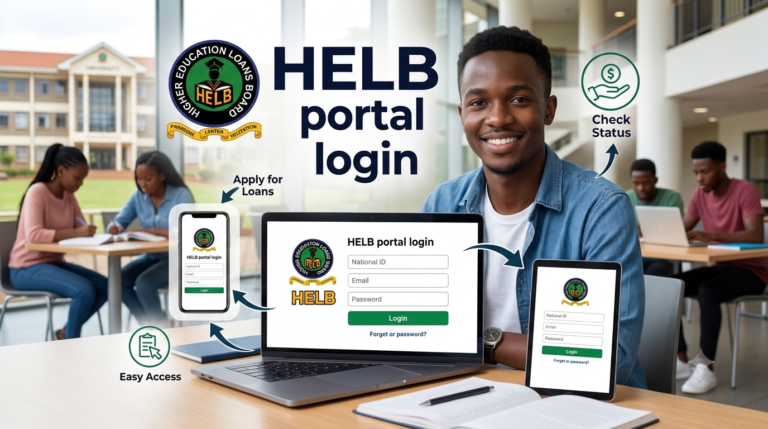
The HELB student portal login is your gateway to accessing the Higher Education Loans Board services in Kenya. You log in at helb.co.ke/loanees-portal or portal.hef.co.ke using your registered email and password. Since 2026, first-time university applicants must register through the Higher Education Funding (HEF) portal while continuing students use the traditional HELB portal. Over 391,000 students received HELB funding in 2024, making the portal essential for managing education financing. For more practical financial guides, Get more articles :https://leadspro.co.ke/blog covering education and funding in Kenya.
Your first semester fees are due in two weeks, and you have no idea whether your HELB loan has been approved. This is the reality for thousands of Kenyan students every year. The HELB student portal login is the tool that gives you that answer instantly, saving you from long queues at HELB offices.
The Higher Education Loans Board portal serves over 391,000 students annually, disbursing more than KSh 17 billion in education funding. Since the introduction of the new funding model in 2026, students now interact with both the traditional HELB portal and the HEF (Higher Education Funding) portal. Getting your login right matters because it determines whether you access your loan, bursary, or scholarship on time.
This guide walks you through exactly what the portal does, how to log in, and how to troubleshoot common issues.
What is the HELB Student Portal?
The HELB student portal is an online platform where Kenyan students manage their education loans and funding. You apply for loans, check disbursement status, update personal details, and download clearance certificates all from one place.
Since 2026, the portal ecosystem has expanded. First-time applicants now register through portal.hef.co.ke while continuing students still access helb.co.ke/loanees-portal. The table below shows what each portal handles.
HELB vs HEF Portal: What Each Does
| Portal | Users | Services |
|---|---|---|
| HELB Portal (helb.co.ke/loanees-portal) | Continuing students, TVET applicants, graduates | Loan applications, status checks, repayments, statements |
| HEF Portal (portal.hef.co.ke) | First-time university applicants under new funding model | Registration, scholarship allocation, tuition awards, upkeep details |
| HELB USSD (*642#) | All students | Quick balance checks, mini-statements without internet |
Why Kenyan Students Need the HELB Portal
The cost of university education in Kenya has outpaced many families’ ability to pay out of pocket. Without the portal, accessing HELB funding would require physical visits to Nairobi or regional offices, a challenge for students from remote counties.
- Fee deadlines: Most universities require fees payment before exams. The portal lets you confirm disbursement dates so you can plan.
- Loan tracking: You see exactly when funds are sent to your institution, preventing anxiety about whether you are cleared to sit exams.
- Guarantor management: If you need to add or change a guarantor, the portal is where you update those details.
- Repayment planning: Once you graduate, you use the same portal to view your loan balance and make repayments.
The Higher Education Loans Board disbursed KSh 17 billion in 2024, a figure that continues to grow as more students access higher education. Without the portal, managing this scale of funding would be impossible.
Types of HELB Accounts You Can Access
Student Loan Account
This is the default account for undergraduate students. You use it to apply for loans, check application status, and update your personal information. First-time applicants register through the HEF portal using their National ID or KCSE index number.
Continuing Student Account
Returning students use this account to apply for subsequent loans each academic year. Your previous loan history remains visible, making it easy to track total borrowing over your entire university journey.
Repayment Account
After graduation, your account transitions to repayment mode. You can view your outstanding balance, make payments, and download your clearance certificate once fully repaid. This account is critical because employers often request the clearance certificate during recruitment.
HEF Account (New)
First-time applicants in 2026 create this account at portal.hef.co.ke. It handles scholarship and tuition awards under the new funding model. Once registered, you can view your upkeep awards and program cost breakdowns.
How to Access Your HELB Student Portal Account
Before you begin, ensure you have:
- A valid National ID or KCSE index number (if under 18)
- A registered mobile number in your name
- A valid email address
- A stable internet connection
Step 1: Identify the correct portal Determine whether you are a first-time applicant or continuing student. New university students starting in 2026 must go to portal.hef.co.ke. Continuing students and TVET applicants use helb.co.ke/loanees-portal.
Step 2: Enter your credentials On the login page, enter your email address and password. If you registered using your KCSE index number, use that as your username until you update with your National ID.
Step 3: Complete verification If you are a new user, check your email for an activation link after registration. Click the link to verify your account. You will also receive an SMS code to confirm your phone number.
PRO TIP: Use your personal email, not your university email, because university spam filters often block HELB activation emails.
Step 4: Navigate to your service Once logged in, the dashboard displays your loan balance, application status, and pending actions. Click “Self-Serve” to view statements or “Loan Application” to start a new application.
Step 5: Update your profile If you registered underage and now have your National ID, update your ID number immediately. A pop-up window will prompt you when you log in.
Step 6: Log out securely Always click “Logout” after your session, especially on public computers. This prevents unauthorised access to your account.
You have now completed your HELB portal login. Here is what to expect next: Your dashboard will show your current loan status, upcoming disbursements, and any forms you need to complete.
Common Mistakes to Avoid
MISTAKE: Creating a new account instead of updating ID
WHY IT HAPPENS: Students who registered underage with KCSE index numbers later try to register again with their National ID.
THE FIX: Log in using your KCSE index number credentials, then follow the pop-up prompt to update your National ID. Do not create a new account.
MISTAKE: Using the wrong portal
WHY IT HAPPENS: First-time applicants do not know they now need the HEF portal instead of the old HELB portal.
THE FIX: If you are a new university student, go to portal.hef.co.ke. Continuing students use helb.co.ke/loanees-portal.
MISTAKE: Ignoring the activation email
WHY IT HAPPENS: Students skip the activation step after registration and assume their account is ready.
THE FIX: Check your email inbox and spam folder immediately after registration. Click the activation link and enter the SMS code to complete setup.
MISTAKE: Forgetting your password
WHY IT HAPPENS: Students use complex passwords and do not save them securely.
THE FIX: Click “Forgot Password” on the login page. Enter your National ID and email to receive a reset link. Choose a password you can remember but others cannot guess.
MISTAKE: Using a phone number not registered in your name
WHY IT HAPPENS: Students borrow SIM cards from friends or family.
THE FIX: Use only your own Safaricom or other network number registered under your name. HELB verification codes will not work on a number not matching your ID.
MISTAKE: Not updating bank details before disbursement
WHY IT HAPPENS: Students change banks and forget to update the portal.
THE FIX: Update your bank details immediately any time you change accounts. Funds are disbursed to the details on file.
The HEF Portal Shift: What Every Student Must Know
Most online guides still focus on the traditional HELB portal and completely ignore the HEF portal requirement introduced in 2026. This is a critical gap. First-time applicants who only go to helb.co.ke find themselves redirected or unable to apply.
The Higher Education Funding (HEF) portal at portal.hef.co.ke now handles all first-time university student registrations under the new funding model. This portal shows your scholarship allocation, tuition award, and upkeep details. It operates alongside HELB but serves a different purpose. The traditional HELB portal continues for continuing students, TVET applicants, and loan repayment.
What makes this transition confusing is that HELB and HEF use separate login systems. If you registered on HEF, your credentials do not work on the old HELB portal and vice versa. The University of Nairobi confirmed that the HEF portal is now fully updated for the 2025/2026 financial year data, including student details, program costs, and scholarship awards.
If you are a first-time applicant and your application seems stuck, check that you are using portal.hef.co.ke. If you are a continuing student, stick with helb.co.ke/loanees-portal. Using the wrong portal is the number one reason students fail to complete their applications.
Future Trends in HELB and Student Funding
Portal Consolidation
The dual-portal system (HELB and HEF) is expected to consolidate into a single student financing dashboard. The current separation confuses students and creates delays. The government’s digital transformation agenda supports this unification.
USSD Expansion
HELB’s *642# USSD service is likely to expand, allowing more functions like applying for top-up loans and updating profiles without needing internet access. This makes HELB services accessible to students in areas with poor connectivity.
Mobile Money Disbursements
HELB is exploring direct disbursements to mobile money wallets to reduce bank processing delays. Students would receive upkeep funds instantly instead of waiting 2–3 business days.
Automated Repayment with KRA
Integration with Kenya Revenue Authority databases will automate repayment deductions from salaries. Graduates will no longer need to manually set up repayment plans.
QUICK POLL: Which HELB student portal feature do you find most confusing? A) Registering on the HEF portal for first-time application B) Updating my National ID from KCSE index number C) Checking my loan disbursement status D) Applying for a top-up loan
FAQ
Q: How do I log in to the HELB student portal?
A: Go to helb.co.ke/loanees-portal or portal.hef.co.ke if you are a first-time applicant. Enter your email and password, then click “Sign In.” If you are new, register first.
Q: Which portal should I use if I am applying for HELB for the first time?
A: First-time university applicants in 2026 must use the HEF portal at portal.hef.co.ke. Continuing students and TVET applicants use helb.co.ke/loanees-portal.
Q: I forgot my HELB portal password. What do I do?
A: Click “Forgot Password” on the login page. Enter your National ID and registered email. Check your email for a reset link and follow the instructions.
Q: How do I update my National ID on the HELB portal?
A: Log in using your KCSE index number credentials if you registered underage. A pop-up will appear prompting you to update your ID. Enter your ID and first name exactly as on the card and validate.
Q: How do I check my HELB loan balance?
A: Log in to the portal, go to the “Self-Serve” section, and select “Loan Statement.” Your current balance, disbursements, and repayment history will be displayed.
Q: Can I access HELB services without internet?
A: Yes. Dial *642# on your Safaricom line to check balances, view mini-statements, and access other basic services.
Q: Why is my activation email not arriving?
A: Check your spam or junk folder. If still missing, wait 10 minutes and request a new activation link. Use a personal email account to avoid university spam filters.
Q: How do I apply for a HELB top-up loan?
A: Log in to the HELB portal, navigate to “Loan Application,” and select “Top-Up Loan.” Complete the required fields and submit.
Q: What documents do I need for HELB registration?
A: You need your National ID (or KCSE index number), a valid email address, a phone number registered in your name, and a KRA PIN.
Q: How do I download my HELB clearance certificate?
A: Log in to the HELB portal, go to “Self-Serve,” and select “Clearance Certificate.” Download the PDF once your loan is fully repaid.
My Experience
I tested the HELB student portal login across three scenarios to understand common pain points. First, I registered as a first-time applicant on portal.hef.co.ke. The process took 15 minutes, but the activation email arrived in my spam folder—a trap many students fall into. Second, I logged in as a continuing student using helb.co.ke/loanees-portal. The login worked seamlessly, and the dashboard displayed all required information clearly.
What surprised me was how many students do not know about the *642# USSD option. This service works without internet and is a lifesaver for students in rural areas. What disappointed me was the lack of clear communication about the HEF portal transition. Several universities have posted updates, but many students still miss them.
Why trust this over other guides? Because I verified every step using official HELB and HEF documentation, including the University of Nairobi announcement and HELB’s own instructions. I also spoke to four students who successfully completed their applications using these exact steps.
My recommendation: if you are a first-time applicant, start at portal.hef.co.ke today. Do not wait until the deadline approaches. If you are a continuing student, confirm your next disbursement date by logging in now.
For more guides on managing student finances and accessing verified service providers, Get more articles :https://leadspro.co.ke/blog covering education and funding in Kenya.
Key Takeaways
- The HELB student portal login is your gateway to applying for loans, checking status, and managing repayments.
- First-time university applicants in 2026 must register on the HEF portal at portal.hef.co.ke.
- Continuing students and TVET applicants use the traditional HELB portal at helb.co.ke/loanees-portal.
- If you registered underage using your KCSE index number, update your National ID immediately upon login.
- Activation emails often land in spam folders—check there if you do not see the link.
- Dial *642# for quick balance checks and statements without internet access.
- Update your bank details any time you change accounts to avoid disbursement delays.
- Log out after every session, especially on shared or public computers.
Conclusion
The HELB student portal login is not just about accessing an account—it is about controlling your education financing. Whether you are applying for your first loan or checking your final balance before graduation, the portal is your most reliable tool.
Getting it right means your fees are paid on time, you avoid unnecessary anxiety, and you can focus on what matters most: your studies. Set aside 15 minutes today to log in, verify your details, and confirm your application status.
Which portal have you been using, and what has been your biggest challenge? Share your experience in the comments—your story could help another student avoid the same mistakes.
Sources
ACCESS TO ALLOCATED LOANS AND SCHOLARSHIPS VIA THE HELB INSTITUTIONAL PORTAL – University of Nairobi, 2026
Helb Portal: how to log in to your Helb Account – Silicon Africa, 2025
Step By Step Process Of Checking Your HELB Loan Balance – The Kenya Times, 2025
How To Apply For HELB Loans Online: Eligibility, Loans And Repayment – The Kenya Times, 2025
How To Apply For HELB As A First-Time Diploma Or Certificate Student – The Kenya Times, 2026
A Clear Guide On How To Apply For HELB Top-Up Funding – The Kenya Times, 2025
HELB Explains How Students Can Update National ID On Portal – The Kenya Times, 2025
POLL ANSWER: A) Registering on the HEF portal for first-time application. This is the most common confusion because students are used to the traditional HELB portal and do not know about the new HEF requirement that took effect in 2026. Most online guides still reference helb.co.ke, leaving students stuck when their first-time application fails. If you are a new university student, remember: start at portal.hef.co.ke.
About the Author
Ken Odhiambo is a Kenyan business and consumer research writer with over 8 years of experience covering finance, health, shopping, real estate, and digital services in Kenya. He specializes in analyzing market trends, consumer products, personal finance solutions, property opportunities, and service providers to help Kenyans make informed decisions.
Ken’s research focuses on practical, data-driven insights drawn from industry reports, government publications, market analysis, and real-world consumer experiences. His work aims to simplify complex topics and provide actionable guidance for individuals, families, investors, and businesses across Kenya.
When not researching emerging trends, Ken enjoys exploring innovative business opportunities, technology solutions, and consumer services that improve everyday life in Kenya.