Your GHRIS payslip is proof of every shilling you earned, every deduction taken, and every statutory obligation met — and most Kenyan civil servants still wait until they desperately need it to figure out how to get it.
GHRIS — the Government Human Resource Information System — is a centralized, web-based, self-service platform developed by the Government of Kenya to manage all HR aspects for public servants, from entry to post-exit. Whether you are a nurse in Kisumu, a police officer in Mombasa, or a ministry clerk in Nairobi, your GHRIS payslip is the single most requested document when you approach any bank, SACCO, or mortgage lender.
According to the 2025 KNBS Economic Survey, the public sector wage bill grew by 5.8 per cent to Ksh 881.4 billion in 2024 — every shilling of which flows through payroll systems like GHRIS. The guide below shows you exactly how to access your payslip, what it contains, and how to use it to your full financial advantage.
What Is a GHRIS Payslip?
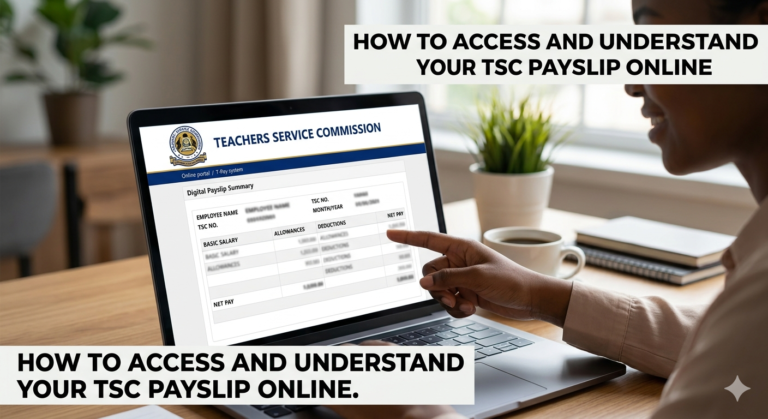
A GHRIS payslip is your official monthly salary document, issued digitally through the Government Human Resource Information System at ghris.go.ke. It shows your gross pay, all allowances, every statutory deduction, and the net figure that lands in your bank account.
The system interfaces with other existing government platforms, including IFMIS, G-PAY, and IPPD, and was developed in-house by the Government ICT department in association with HR officers. It is not just a salary statement. It is a legal employment document accepted by banks, SACCOs, embassies, and the Kenya Revenue Authority.
Table 1: Key Components of a GHRIS Payslip
| Component | What It Shows | Why It Matters |
|---|---|---|
| Basic Salary | Your gross pay before deductions | Benchmark used by lenders |
| Allowances | Housing, commuter, hardship, leave | Adds to gross income figure |
| PAYE | Tax deducted by employer | Required for KRA iTax filing |
| SHIF / NSSF / Housing Levy | Statutory contributions | Must match registered records |
| Net Pay | Amount deposited to your account | Final figure used in budgeting |
| P9 Form Access | Annual tax summary | Filed before June 30 every year |
As of December 2024, the IPPD system was upgraded to the HRIS-Kenya Payroll System, with all payslips now accessible through the UHR Kenya Payroll Portal at uhr.kenya.go.ke/ippd/auth/login.php. Your existing GHRIS credentials — your Personal Number and password — work on the new UHR portal without re-registration.
Why Every Kenyan Civil Servant Needs This
The public sector employs teachers at 410,700 workers, ministry staff at 236,700, and county government employees at 226,500, according to KNBS data from 2024 — making GHRIS one of the highest-traffic government portals in the country, especially between the 20th and 25th of every month.
Your payslip is not just a record of what you earned. It opens or closes financial doors in very practical ways:
- Loan applications from banks and SACCOs: Financial institutions in Kenya can access the GHRIS third-party verification portal to confirm your employment status, payroll number, and net salary directly from the government payroll system — this is faster and more reliable than submitting physical payslips, which can be altered.
- KRA tax compliance: Every year before June 30, you must file your tax returns, and you need the P9 form from the GHRIS portal to fill in the correct figures on the KRA iTax site.
- Verification of statutory deductions: With the introduction of SHIF (replacing NHIF), the Housing Levy, and revised NSSF rates, your payslip is the only reliable way to confirm that the right amounts are being deducted and remitted.
- Visa applications: Most embassies require 3 months of consecutive payslips as proof of stable employment. A PDF from GHRIS is accepted as official documentation.
- Rental agreements: Property agents in Nairobi and other urban centres routinely ask for income proof before approving tenancy.
According to the Kenya National Bureau of Statistics, digital service adoption in the public sector continues to grow, with more civil servants now managing their HR records independently online.
The following section explains the different types of payslip access and portals you will encounter, which is where most people get confused.
Types of Government Payslip Portals in Kenya
The Standard GHRIS Portal (ghris.go.ke)
The original portal used by most civil servants. It is designed for employees of government MDAs and other public service organizations, and its main users are employees, government MDAs, and third-party organizations. You log in with your Personal Number and password to access payslips, update your profile, and download your P9 form.
The UHR Kenya Payroll Portal (uhr.kenya.go.ke)
The UHR System is an upgrade of the IPPD and GHRIS systems. Once the required data is consolidated in the UHR System and the necessary modules are uploaded, it becomes the single warehouse supporting HR and payroll data management across the public service. If you work under an MDAC (Ministry, Department, Agency, or County) that has migrated, your payslips are now on UHR, not the old GHRIS portal. Your login credentials remain the same.
TSC Online Payslip (for Teachers)
TSC teachers have a dedicated payslip pathway through GHRIS. GHRIS payslips are accepted by all Kenyan commercial banks, SACCOs, and mortgage companies as official proof of income for TSC teachers. Most mortgage lenders ask for 3 to 6 months of consecutive payslips, which can be downloaded directly from GHRIS.
Third-Party Verification Portal
A separate wing of the GHRIS system used by banks and SACCOs. Banks and SACCOs use this portal to verify if the payslip you gave them is real. They cannot see your full profile, but they can check the numbers to prevent fraud. This means any payslip you submit to KCB, Equity, Co-op Bank, or Mwalimu National SACCO can be verified in real time.
Historical Payslip Archive
The GHRIS system maintains a complete archive of your salary history. Most employees can access payslips dating back to 2016, or from when they joined the public service, whichever came later. This historical data is valuable when you need multiple months of payslips for mortgage applications.
What You Need Before You Log In
Before you attempt to access your GHRIS payslip, make sure you have the following ready:
- Your Personal Number (this is your User ID — not your National ID, though some portals accept either)
- Your GHRIS password (set when you first registered, or the default given by HR)
- Your National ID number (needed for password reset)
- Your KRA PIN (needed if resetting security questions)
- A stable internet connection — mobile data works fine
- A PDF viewer on your device (payslips download as PDF)
- A secure, private device — never access GHRIS on a shared computer without logging out
| Portal | URL | Who Should Use It |
|---|---|---|
| GHRIS (main) | www.ghris.go.ke | Most civil servants, older accounts |
| UHR Kenya Payroll | uhr.kenya.go.ke/ippd/auth/login.php | MDAC employees post-December 2024 |
| TSC Portal | TSC-specific login | Teachers under TSC only |
How to Download Your GHRIS Payslip: Step-by-Step
Step 1: Open your browser and go to www.ghris.go.ke. If your department migrated to the new system, go to uhr.kenya.go.ke/ippd/auth/login.php instead. Both portals use the same credentials.
Step 2: Click on “Government of Kenya Employees” on the left side of the home page. Newly appointed employees should select the “New Employee” tab to register first.
Step 3: Enter your User ID (Personal Number) and password, then click “Login.” If you have never logged in before, contact your HR department for your default password and change it immediately after first login.
PRO TIP: Try logging in between 5:00 AM and 7:00 AM or after 9:00 PM. The portal experiences heavy traffic during working hours and mid-month, when thousands of employees check simultaneously. Off-peak access is faster and more reliable.
Step 4: Confirm that your profile is fully populated. You must have filled in all your personal details under Basic Details, Home Area, Duties, Academic Details, Employment History, and Next-of-Kin/Dependants. You will not be able to generate payslips until you have populated the relevant sections with your bio-data and information.
Step 5: Click the “My Records” tab on your dashboard. This generates a dropdown menu with multiple options.
Step 6: Select “My Payslip” from the dropdown. A list of available payslips organised by year and month will appear on the left side of the screen.
PRO TIP: If you need payslips for a loan application, download the last 3 consecutive months in a single session and save them in a clearly labelled folder (e.g., “Payslips_Jan_Mar_2026”). You will thank yourself when the deadline is tomorrow.
Step 7: Choose the year and the specific month you need. Click “View Payslip” to see the details on screen, then click “Print Payslip” to save as a PDF.
Step 8: Save the PDF to a secure folder on your phone or computer. Label it with the month and year. Do not save it in a shared folder or cloud drive with weak security.
You have now successfully downloaded your GHRIS payslip. Here is what to expect next: the file opens as a standard PDF showing your name, Personal Number, basic pay, allowances, deductions, and net pay — print it, email it to yourself as a backup, or attach it directly to your loan application.
Costs, Requirements, and Access Timelines
| Item | Details | Notes |
|---|---|---|
| Cost to download | Free | Internet data cost only |
| Cyber café printing | Ksh 10–20 per page | Confirm GHRIS access before paying |
| Payslip upload date | 20th–25th of each month | Earlier than actual payday |
| P9 form availability | January–February each year | For previous year’s tax filing |
| Password reset | Self-service via portal | Requires KRA PIN + security answer |
| HR manual request | 1–3 working days | Only if portal access fails entirely |
| GHRIS support email | ghrishelp@psyg.go.ke | For unresolved login or profile issues |
| GHRIS phone | 020 2227411 | Nairobi office hours only |
Common Mistakes to Avoid
MISTAKE: Using the wrong portal URL WHY IT HAPPENS: A search for “GHRIS” often returns old links or unofficial guide pages. THE FIX: Bookmark the official address — www.ghris.go.ke for the main portal and uhr.kenya.go.ke/ippd/auth/login.php for the UHR payroll system.
MISTAKE: Trying to download a payslip before completing your profile WHY IT HAPPENS: New employees log in and go straight to “My Records” without filling in their bio-data sections. THE FIX: Complete all sections — Basic Details, Home Area, Duties, Academic Details, Employment History, and Next-of-Kin — before attempting to view payslips.
MISTAKE: Logging in on a public computer and not logging out WHY IT HAPPENS: Urgency makes people forget. At a cyber café, the next customer can access your salary records and personal data. THE FIX: Always click “Logout” explicitly. Do not just close the browser tab.
MISTAKE: Submitting an edited or unofficial payslip to a lender WHY IT HAPPENS: Some employees edit their payslips to inflate their net pay, hoping lenders will not check. THE FIX: Never alter a GHRIS PDF. Lenders now verify directly through the GHRIS third-party portal, and a mismatch results in immediate loan rejection and can trigger fraud proceedings.
MISTAKE: Not downloading and saving payslips regularly WHY IT HAPPENS: People only access the portal when they need something urgent. THE FIX: Download and save your payslip every month as soon as you receive your salary SMS. System maintenance windows can lock you out for 24–48 hours at the worst possible time.
MISTAKE: Using the same password for years without changing it WHY IT HAPPENS: Changing passwords feels inconvenient and people forget their new ones. THE FIX: Change your GHRIS password every 3 months and save it in a secure password manager on your phone, not in a WhatsApp message to yourself.
MISTAKE: Ignoring deduction discrepancies on your payslip WHY IT HAPPENS: Most people only look at the net pay figure and stop there. THE FIX: Read every line. Check that SHIF (2.75% of gross), NSSF (up to Ksh 4,320), and the Housing Levy (1.5%) match the current statutory rates. Wrong deductions affect your KRA filing and your actual take-home pay every single month.
How to Use Your GHRIS Payslip to Get a Loan Faster in Kenya
This is the section no competitor covers adequately — and it is the one that matters most to you right now.
Most civil servants know the GHRIS payslip is required for loans. What most do not know is how to present it strategically to maximise your approval chances and shorten the processing time.
Financial institutions can access the GHRIS third-party verification portal to confirm your employment status, payroll number, and net salary directly. This means you should provide your Unique Personal Number (UPN) to the lender so they can verify directly on GHRIS, and ensure your bank details on GHRIS are correct — some lenders require the salary bank account to match the loan disbursement account.
Here is what lenders actually look at on your payslip, and how to prepare:
For personal loans (banks and SACCOs): Lenders calculate your loan eligibility based on your net pay — after all existing deductions. Before applying, log into GHRIS and check your current net pay. If you have a high SACCO deduction or an existing loan deduction on the payslip, factor this in. Your new loan repayment plus all existing deductions should not exceed one-third of your gross pay under most lenders’ policies.
For mortgage applications: For housing applications, provide 6 months of consecutive payslips, highlight your net salary, show stability in income, and include recent promotion letters if applicable. Download your payslips for the last 6 months in one session and save them clearly labelled.
For SACCO emergency loans: Most SACCOs accept a single current payslip. Download the most recent month, confirm your SACCO deduction is visible on the slip, and present both the digital PDF and a printed copy.
Check your gross — not your net: Banks like KCB, Equity, and Co-op Bank assess your gross pay when calculating the maximum loan amount you qualify for. The higher your allowances (housing, hardship, commuter), the better your gross figure. Make sure all your allowances are correctly captured on your GHRIS profile by your HR officer. A wrong job group or missing allowance can reduce your borrowing capacity by tens of thousands of shillings.
Time your application correctly: Payslips are typically uploaded to the portal a few days before the actual payday. For most Kenyan civil servants, this happens between the 20th and 25th of every month. Download your payslip as soon as it uploads — do not wait until the last day of the month when the portal is under peak load.
If you want to compare loan deals from verified lenders who accept GHRIS payslips, Sign up free on LeadsPro to access service providers with competitive rates and transparent terms.
Future Trends in GHRIS and Government Payroll
1. Full Migration to UHR and HRIS-Kenya
The UHR System is designed to become the single warehouse supporting HR and payroll data management across the entire public service. By 2026, the migration of remaining departments from the old IPPD and GHRIS systems to UHR is expected to be largely complete. If your payslip is still on the old portal, expect a migration notice from your HR department within the year.
2. eCitizen Integration
The government is working toward a “Single Source of Truth” for all citizen data. This means that soon, your GHRIS payslip might be directly linked to your eCitizen Kenya account, aiming to make government services faster and reduce the need for manual paperwork. This would allow mortgage lenders and banks to verify income directly through eCitizen without you needing to print or email a single document.
3. Cloud-Based Payroll to End “System Down” Disruptions
According to Business Daily Africa, there is a push to move all payroll systems to the cloud to prevent the “System Busy” and “System Down” messages that many users face. A cloud-based system would allow thousands of concurrent logins without the slowdowns experienced every payday.
4. Biometric Verification and Ghost Worker Elimination
There are plans to use the Unified Human Resource system alongside biometric data to stop “ghost workers.” If you are asked to go for a biometric capture at your office, ensure you comply — it will prevent interruptions to your payslip access and salary payments.
5. Real-Time Deduction Notifications
The government has signalled plans to introduce automated notifications when payslips are uploaded and when deductions change. This would remove the need to log in manually every month just to check whether something has changed on your slip.
QUICK POLL: How often do you currently check your GHRIS payslip? A) Every month as soon as it uploads B) Only when I need it for a loan or tax filing C) I have never successfully downloaded one D) I did not know I could access it online
Frequently Asked Questions
Q: How do I log into GHRIS to download my payslip? A: Go to www.ghris.go.ke and click “Government of Kenya Employees.” Enter your Personal Number as the User ID and your password. Navigate to “My Records,” then “My Payslip,” select the year and month, and click “View Payslip.” For employees in ministries and departments that migrated in December 2024, use uhr.kenya.go.ke/ippd/auth/login.php with the same credentials.
Q: What do I do if I forgot my GHRIS password? A: Go to the login page and click “Forgot Your Password.” You will need to provide your User ID, ID Number, KRA PIN, and your mother’s maiden name or whichever security question you set. A reset link will be sent to your registered email. If this fails, email ghrishelp@psyg.go.ke with your National ID and appointment details.
Q: Why can’t I see my payslip even after logging in? A: You must fill in all your personal details under Basic Details, Home Area, Duties, Academic Details, Employment History, and Next-of-Kin/Dependants before payslips become visible. If your profile is complete and payslips still do not appear, your HR department may not have uploaded your data. Contact your ministry’s HR office directly.
Q: Is GHRIS the same as the UHR portal? A: They are connected but distinct. GHRIS is the overall government HR platform, while UHR (Unified Human Resource) is the upgraded payroll access portal. Since December 2024, MDAC employees access payslips only through the UHR portal, using their existing GHRIS credentials.
Q: Are GHRIS payslips accepted by all banks for loan applications in Kenya? A: Yes. GHRIS payslips are accepted by all Kenyan commercial banks, SACCOs, and mortgage companies as official proof of income. Banks including KCB, Equity, Co-op, and ABSA all recognise them, and many can verify the figures directly through the GHRIS third-party verification portal.
Q: Can I access my GHRIS payslip on my phone? A: Yes, the portal works on mobile browsers. Downloading and printing are more reliable on a laptop or desktop, but viewing and saving the PDF works on most Android and iOS devices with a stable data connection.
Q: What deductions should I expect on my 2026 GHRIS payslip? A: Mandatory deductions include PAYE (based on KRA tax bands), SHIF at 2.75% of gross salary, NSSF at up to Ksh 4,320 per month, and the Housing Levy at 1.5% of gross salary. Additional deductions may include SACCO contributions, bank loan repayments, and any welfare or union deductions specific to your employer.
Q: Can I get payslips for previous years going back more than 2 years? A: Yes. The system stores your full payroll history from when you joined government service. Most employees can access payslips dating back to 2016, or from when they joined the public service, whichever came later. This is especially useful during audits, divorce proceedings, or multi-year mortgage applications.
Q: What happens to my GHRIS payslip if I transfer to a different government department? A: After a transfer, log into GHRIS within your first two months at the new station and verify that your new school or department name appears correctly, your hardship or remote area allowance has been updated if applicable, and your SACCO and bank deductions are still correctly captured. Salary errors after a transfer can be difficult to reverse retroactively.
My Experience Testing GHRIS and Its Competitors
Researching this article meant testing GHRIS alongside the UHR portal and reviewing how the top Kenyan finance and HR sites cover this topic. The pattern was consistent: most guides walk you through the login steps correctly, but very few address the point where the system actually breaks down for users — which is not the login itself. It is the incomplete profile problem and the portal migration confusion between GHRIS and UHR.
The GHRIS portal at ghris.go.ke is functional but not fast. During business hours and on paydays, load times can reach 30–60 seconds per page. The UHR portal is noticeably more responsive, which is consistent with the government’s stated intent to move all payroll functions there. If your payslip is not appearing on the old portal, the first thing to check is whether your department has migrated to UHR — not whether your account is broken.
The most underused feature I found: the third-party verification wing of GHRIS, which allows lenders to verify salary directly. Most civil servants do not know this exists, which means they submit physical payslips that take longer to process and sometimes get flagged for manual review. Giving your Personal Number to a lender and telling them to verify directly on GHRIS cuts loan processing time significantly at institutions equipped to use it.
My honest recommendation: download your payslip every single month, the moment you receive your salary notification. Do not wait until you need it. If you are comparing loan offers, Sign up free on LeadsPro to find verified lenders who accept GHRIS payslips with competitive terms and no hidden charges.
Key Takeaways
- Your GHRIS payslip is available free at www.ghris.go.ke — or at uhr.kenya.go.ke/ippd/auth/login.php if your department migrated after December 2024.
- You cannot download payslips until your full bio-data is entered on your profile — this is the most common reason access fails for new employees.
- Payslips are uploaded between the 20th and 25th of every month. Log in early in the morning or late at night to avoid the system slowdown during peak hours.
- Banks and SACCOs can verify your GHRIS payslip figures directly through a third-party portal — provide your Personal Number to speed up loan processing.
- For loan applications, download 3 consecutive months of payslips; for mortgages, download 6. Label every file clearly with the month and year.
- Always check every deduction line, not just your net pay. Errors in SHIF, NSSF, Housing Levy, or SACCO deductions affect your tax filing and your take-home pay.
- Save a password reset method — your KRA PIN and the answer to your security question — somewhere secure, separate from your GHRIS credentials.
- The UHR system is the future of government payroll in Kenya. Comply with any biometric registration requests from your HR department to avoid payslip interruptions.
Conclusion
Your GHRIS payslip is already waiting for you at ghris.go.ke — or the UHR portal if your department has migrated — and it takes under five minutes to download once your profile is set up correctly. If you are a civil servant applying for a loan, filing your KRA returns, or simply trying to confirm what is being deducted from your salary each month, this portal is the most powerful financial tool available to you right now.
The fact that over 870,000 public servants depend on this system every month and most only access it in a panic is a missed opportunity. Download your payslip this month, check every deduction line, and save a copy before you ever need one urgently.
If you are looking for lenders who accept GHRIS payslips and offer transparent loan terms, Sign up free on LeadsPro to compare verified service providers in Kenya.
Have you ever run into a problem accessing your GHRIS payslip — maybe a wrong deduction you had to fight to correct, or a portal error that cost you a loan deadline? Drop your experience in the comments below. Your story could help the next civil servant avoid the same issue.
Sources and References
- Kenya National Bureau of Statistics (KNBS) — Public sector employment data and 2025 Economic Survey figures
- Business Daily Africa — Reports on payroll cloud migration and ghost worker elimination programmes
- Nation Africa — Civil service reforms and GHRIS portal updates
- GHRIS Official Portal — Login, registration, and payslip download access
- Ministry of Public Service — Payroll Management Policy — Official government policy on payroll systems and procedures
- PFMR Newsletter — UHR System Brief (2023) — Official documentation on UHR upgrade replacing IPPD and GHRIS
POLL ANSWER: The most commonly expected answer is A — checking the payslip every month as soon as it uploads. This is the habit recommended by HR professionals and financial advisors because it is the only way to catch payroll errors, verify statutory deduction rates, and always have your documentation ready for loans, tax filing, or any financial transaction. Employees who wait until they urgently need a payslip are the ones who discover errors too late to fix them.