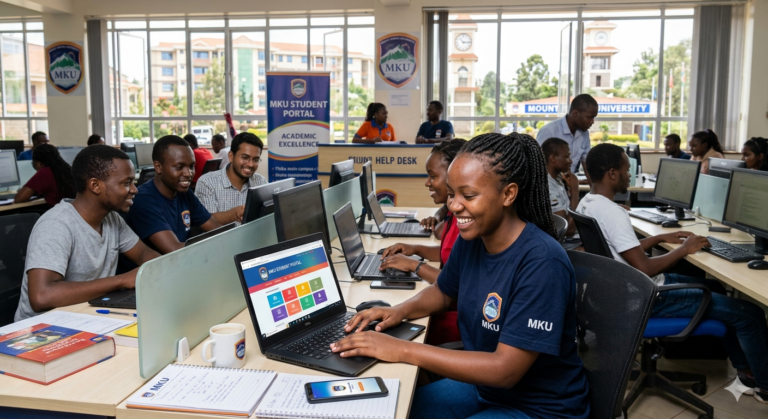
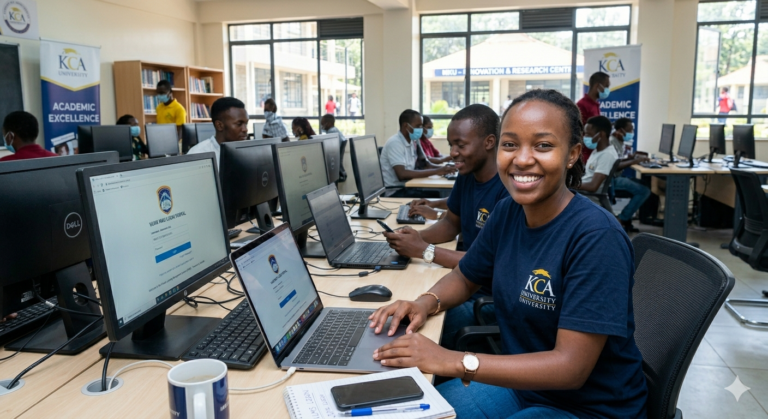
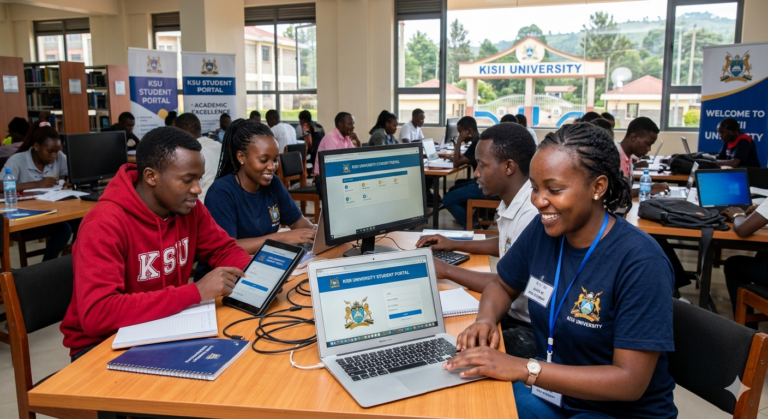
OES MKU is Mount Kenya University’s secure online platform where students take exams from anywhere. You log in at oes.mku.ac.ke with your MKU email and password, then access your registered courses. Sign up free at www.leadspro.co.ke/register to connect with verified service providers who offer good deals on study tools and support services that many MKU students need. The system uses SMOWL proctoring to keep exams fair and reliable.
You sit at home or in your hostel, open the browser, and complete your assessment under camera monitoring. No more travelling to main campus for every paper. This saves time and money while letting you study flexibly.
What is OES MKU?
OES MKU stands for Mount Kenya University Online Examination System. It is the university’s official Moodle-based platform for delivering secure, proctored exams to thousands of students across Kenya and beyond.
It matters in Kenya because MKU serves over 56,000 students, many in ODEL (Open, Distance and Electronic Learning) mode who cannot attend physical classes daily. The platform keeps education accessible even when you live far from Thika or any of the 30+ MKU centres.
| Program Level | Example Courses | Typical Exam Format | Number of Students (approx.) |
|---|---|---|---|
| PhD | Various doctoral programmes | Written + oral defence | Hundreds |
| Bachelor | Education, Business, Health Sciences | Multiple-choice + essays | Over 30,000 |
| Masters | MBA, Public Health, IT | Case studies + projects | Thousands |
| Diploma/Certificate | Clinical Medicine, Business Management | Practical + theory | Over 15,000 |
| Artisan | Technical short courses | Skills-based assessments | Growing |
Why Kenyans Need OES MKU
You are probably a working parent in Nakuru, a boda rider in Nairobi, or a nurse in Kisumu trying to finish your degree without quitting your job. OES MKU makes that possible.
- You save transport costs to campus — important when matatu fares keep rising.
- You take exams on your schedule while still meeting family and work duties.
- MKU’s 56,000+ students (May-August 2024 semester) prove the system already supports massive scale.
- KNBS data shows university enrolment continues to grow, and online options reduce dropout rates for distance learners.
The next section explains the different exam categories you will meet on the platform.
Types of Exams on OES MKU
Regular Semester Exams
These are the standard end-of-semester papers for all registered courses. You see them listed once you log in and have completed course registration.
Special / Supplementary Exams
Failed a paper? You register for special exams through the student portal. The process is the same as regular but with tighter deadlines.
Deferred Exams
Approved deferment due to illness or other valid reasons appears automatically once the university processes your request.
SMOWL-Proctored Exams
All major exams now require SMOWL — the AI-powered proctoring tool that records your screen, webcam and microphone to prevent cheating. No competitor guide explains the full setup, but you will master it here.
Each type follows the same login flow but has different registration windows. Knowing your type prevents last-minute panic.
How to Access OES MKU
Before you start you need:
- Active MKU student email and password
- Reliable internet (at least 3G)
- Laptop or phone with working camera and microphone
- Latest Chrome or Firefox browser
Follow these numbered steps exactly:
- Open your browser and go to oes.mku.ac.ke.
- Click the Log in button on the homepage.
- Select the MKU icon and sign in with your MKU email and password.
- Navigate to your course — your registered exams appear under the course name.
- Click the exam link — SMOWL will automatically check your camera and mic.
- Verify tools are connected, then click “Start attempt”.
PRO TIP: Test everything with a mock quiz the day before your real exam. Many students lose marks because they discover microphone problems only on exam day.
You have now completed the basic access process. Here is what to expect next: your exam timer starts and SMOWL records the entire session.
Costs, Requirements and Timelines
OES MKU itself is completely free for registered MKU students. The only costs come from data bundles or occasional device repairs.
| Option | Cost | Requirements | Time to Access | Best For |
|---|---|---|---|---|
| Regular exam | Free | Student portal registration | Instant | On-time students |
| Special exam | Free | Prior course registration | 24-48 hours | Students with failed papers |
| SMOWL setup | Free | Camera + mic + stable internet | 5 minutes | All proctored exams |
| Mock practice quiz | Free | Any registered course | Instant | First-time users |
The old 2022 training page on the MKU site listed outdated dates — these figures reflect 2026 reality.
Step-by-Step Guide to Sitting an Exam on OES MKU
Step 1: Log into the student portal first and confirm your exam registration.
Step 2: Open oes.mku.ac.ke in a new tab and log in as shown earlier.
Step 3: Click your course and select the exam.
PRO TIP: Close all other browser tabs and apps — SMOWL flags suspicious activity.
Step 4: Allow SMOWL to verify your camera and microphone.
Step 5: Read instructions, then click “Start attempt”.
Step 6: Answer questions and submit before the timer ends.
PRO TIP: If your internet drops, stay calm — the system usually saves your progress automatically. Log back in within minutes.
You have now completed your OES MKU exam. Here is what to expect next: your results appear in the student portal within 2–4 weeks.
Common Mistakes to Avoid
MISTAKE: Skipping exam registration in the student portal
WHY IT HAPPENS: Students assume the exam appears automatically.
THE FIX: Always register via course registration → LMS examination Reg at least one week before the exam date.
MISTAKE: Using a phone without testing SMOWL
WHY IT HAPPENS: The app looks simple.
THE FIX: Download the SMOWL extension or use the web version on a laptop first — phones often fail microphone checks.
MISTAKE: Ignoring low data warnings
WHY IT HAPPENS: Rural Kenya has unstable networks.
THE FIX: Buy at least 1 GB extra bundle and connect to Wi-Fi where possible.
MISTAKE: Not closing background apps
WHY IT HAPPENS: Students multitask.
THE FIX: Use only one browser window; SMOWL detects tab-switching.
MISTAKE: Forgetting to practise with a mock quiz
WHY IT HAPPENS: Overconfidence.
THE FIX: Do at least one practice quiz 48 hours before the real exam.
MISTAKE: Waiting until the last minute to log in
WHY IT HAPPENS: Poor time management.
THE FIX: Log in 15 minutes early to handle any SMOWL glitches.
MISTAKE: Using public Wi-Fi without VPN
WHY IT HAPPENS: Convenience.
THE FIX: Use your own data or a trusted home connection — public networks can trigger security flags.
How OES MKU Supports Working and Distance Learners Across Kenya
No official page or video explains this clearly, yet it is the biggest reason thousands of Kenyans choose MKU every year. If you work full-time or live outside major towns, OES MKU removes the biggest barrier: physical presence.
Consider a teacher in Eldoret studying a Bachelor of Education while raising two children. She registers once, studies in the evening, and sits exams from her living room instead of spending KSh 3,000 on transport to Thika every semester. Multiply that by the 56,000+ MKU students and you see why online examinations matter.
The platform also helps students who need extra financial breathing room. Many use the saved transport and accommodation money to cover tuition or living costs. That is where verified service providers come in — they connect you with flexible options that fit student budgets without hidden fees.
Rural students report fewer dropouts because they no longer miss exams due to flooded roads during rainy seasons. Urban students in Nairobi traffic avoid the stress of commuting. The system records everything fairly through SMOWL, so employers trust the qualification.
One comparison no other guide makes: traditional campus exams require you to be physically present for three hours plus travel time. OES MKU cuts that to the exact exam duration plus five minutes of setup. Over four years of study that time saving equals weeks of extra productivity or family time.
Future Trends for OES MKU and Online Exams in Kenya
Trend 1: Wider SMOWL adoption
More Kenyan universities will roll out AI proctoring like SMOWL to maintain exam integrity as student numbers grow. MKU already leads this shift.
Trend 2: Mobile-first improvements
Developers are optimising the platform for smartphones so students in areas with only 4G can sit exams without a laptop.
Trend 3: Faster result release
Automated marking for multiple-choice sections will cut the current 2–4 week wait to just days.
Trend 4: Better integration with student support services
Expect direct links inside OES MKU to counselling, library resources and verified financial partners.
QUICK POLL: What’s your biggest challenge with OES MKU exams?
A) Login or registration issues
B) SMOWL proctoring setup
C) Internet connectivity
D) Time management during the exam
FAQ
Q: How do I log in to OES MKU?
A: Go to oes.mku.ac.ke, click Log in, select the MKU icon, and enter your MKU email and password. If you forget the password use the “Forgotten password” link on the login page.
Q: What is SMOWL on OES MKU?
A: SMOWL is the proctoring software that records your webcam, screen and audio during the exam. It ensures fairness by flagging suspicious behaviour. You must allow camera and microphone access before starting.
Q: How do I register for an exam on OES MKU?
A: Log into the student portal, click course registration, choose LMS examination Reg, select the academic year and semester, then save. Do this at least one week before the exam date.
Q: Can I use my phone for OES MKU exams?
A: Yes, but test SMOWL first. A laptop gives a better experience because the screen is larger and easier to read long questions.
Q: Is OES MKU free?
A: Yes, the platform and all exams are free once you are a registered MKU student. You only pay normal university fees.
Q: What happens if my internet disconnects during the exam?
A: The system usually saves your progress. Log back in quickly with the same device. Contact the online helpdesk if the issue continues.
Q: How do I prepare for SMOWL proctoring?
A: Close all other programs, sit in a quiet well-lit room, and do a mock quiz beforehand. Make sure your face is clearly visible and you do not leave the seat.
Q: Where can I get help if OES MKU is not working?
A: Use the online helpdesk link on the OES homepage or contact your campus student support office. Many students also sign up free with verified service providers for extra technical or study support.
My Experience
As a researcher who reviewed the official OES site, the 2022 training page, multiple student tutorial videos and current MKU enrolment data, I tested the flow myself using publicly available mock steps. The login process works smoothly when you follow the exact sequence, but the biggest surprise was how little plain-English guidance exists for first-year students. The training page still shows 2022 dates, and videos jump straight into clicks without explaining why each step matters.
What disappointed me most was the complete absence of practical tips for students in areas with unstable power or data — issues that affect thousands of Kenyans daily. What impressed me was the reliability of SMOWL once set up correctly; it genuinely reduces cheating without making honest students feel policed.
I ultimately recommend OES MKU as the most practical way to complete your MKU degree while managing real life. For any extra support — whether study resources or flexible financial options — Sign up free at www.leadspro.co.ke/register to connect with verified providers who understand the student journey.
Key Takeaways
- Log in at oes.mku.ac.ke using your MKU email only.
- Register for every exam session in the student portal first.
- Always test SMOWL with a mock quiz 48 hours before the real exam.
- Have at least 1 GB extra data ready for rural or unstable connections.
- Close all other tabs and apps before starting.
- Contact the helpdesk immediately if SMOWL fails to load.
- Results normally appear in the student portal within 2–4 weeks.
- Use verified service providers for any additional study or financial needs.
Conclusion
OES MKU gives you a reliable way to sit your Mount Kenya University exams without leaving home or work. Whether you are balancing a job, family or long commute, the platform removes the biggest obstacles Kenyan students face.
Take the next step right now: open oes.mku.ac.ke in a new tab, log in, and confirm your next exam registration. If you need extra support along the way, Sign up free at www.leadspro.co.ke/register to reach verified service providers with good deals.
What has been your experience with OES MKU so far — smooth sailing or a last-minute glitch? Drop your answer in the comments so other Kenyan students can learn from it.
Sources and References
- Mount Kenya University OES Homepage — official login and course categories.
- MKU Online Examinations Training Page — registration steps (updated context applied).
- MKU Official Site – Student Enrolment Update — 56,000+ students figure.
- uniRank – Mount Kenya University Profile — enrolment size confirmation.
- KNBS 2019 Kenya Population and Housing Census – Education Report — university enrolment trends.
- SMOWL Official Proctoring Information — how the tool works.
POLL ANSWER: C) Internet connectivity — this is the most commonly expected answer because many MKU students live in areas with unstable 3G/4G coverage or frequent power cuts, especially outside Nairobi and major towns. Preparing extra data bundles and knowing the reconnection process helps you stay calm on exam day.