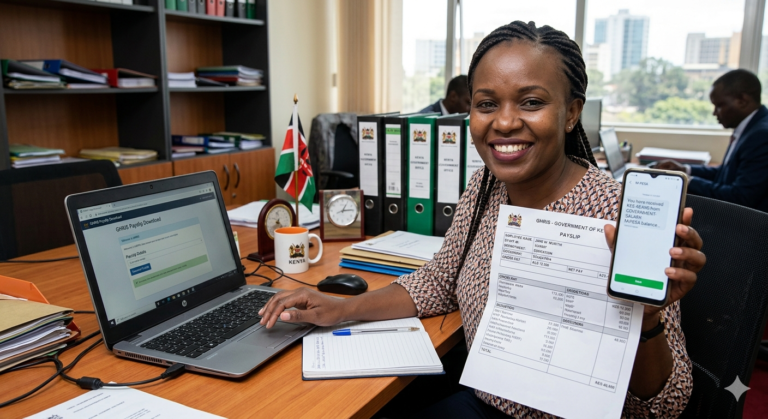
Mastering Your GHRIS Payslip Download in Kenya (2026 Guide)
Navigating government digital platforms can sometimes feel daunting, but mastering your GHRIS payslip download is essential for every civil servant in Kenya. As we move further into 2026, the Government Human Resource Information System (GHRIS) remains the bedrock for public sector payroll management, providing instant access to your crucial financial records.
This comprehensive guide will walk you through every step, ensuring you can efficiently access, understand, and troubleshoot your GHRIS payslip. We’ll cover everything from the basic requirements to advanced tips, empowering you to take full control of your financial documentation.
What is GHRIS and Why is Your Payslip Critical in 2026?
GHRIS, the Government Human Resource Information System, is Kenya’s integrated platform designed to manage human resources within the public service. It digitalizes processes from recruitment to retirement, with payslip generation being one of its most critical functions.
Your GHRIS payslip is far more than just a record of your monthly earnings. It’s a vital document for loan applications, tax compliance (P9 forms), budgeting, and verifying deductions. In 2026, with increasing financial literacy and digital transactions, a readily available and accurate digital payslip is indispensable.
Expert Tip: Always download and save your payslip each month. A consistent record protects you in case of discrepancies or future financial inquiries.
Why Kenyans Need Efficient GHRIS Payslip Download for 2026
The shift towards a fully digital economy in Kenya means essential documents like payslips must be easily accessible. Here’s why an efficient GHRIS payslip download process is crucial for civil servants:
- Financial Planning: Enables better personal budgeting and financial goal setting.
- Loan Applications: Most financial institutions require recent payslips as proof of income and repayment capacity.
- Tax Compliance: Simplifies annual tax returns by providing accurate P9 form data.
- Dispute Resolution: Serves as concrete evidence in case of salary or deduction disputes.
- Accessibility: Offers 24/7 access, removing the need for physical visits or manual requests.
Types of GHRIS Users and Payslip Access in 2026
While GHRIS primarily serves active civil servants, access to payslips can vary slightly depending on your employment status. The system is designed for:
- Active Government Employees: The primary users who regularly access their monthly payslips.
- Retired Civil Servants: May need to access historical payslips for pension or other administrative purposes, often requiring specific procedures or assistance.
- Former Employees: Access to past payslips might be granted for a limited period or require formal requests through their previous departments.
How to Access Your GHRIS Payslip (Requirements and Portal)
Accessing your GHRIS payslip is a straightforward process, provided you have the correct credentials and internet access. The official GHRIS portal is the only legitimate channel for this operation.
Key Requirements:
- Internet-enabled Device: A smartphone, tablet, or computer with a stable internet connection.
- GHRIS Username: Typically your Staff Number or National ID number.
- GHRIS Password: The password you set up during registration or last reset.
Warning: Be vigilant against phishing scams. Always double-check that you are on the official GHRIS portal URL (e.g., ghris.go.ke). Never share your login details with unauthorized individuals.
Costs, Requirements, and Timelines for GHRIS Payslip Download
Eligibility for GHRIS Payslip Access
Access is strictly for individuals formally employed by the Government of Kenya whose details are captured in the GHRIS system. This includes civil servants across various ministries, departments, and agencies.
What You Need Before You Download
- Your correct GHRIS username and password.
- A functional web browser (Chrome, Firefox, Edge, Safari are recommended).
- A stable internet connection.
- Knowledge of the specific month and year for the payslip you wish to download.
GHRIS Payslip Availability Timeline
Payslips are typically generated and made available on the GHRIS portal within the first week of the subsequent month. For instance, your January 2026 payslip should be accessible by the first week of February 2026. This allows for final payroll processing and verification.
Step-by-Step Guide: Your GHRIS Payslip Download Journey (2026 Edition)
Follow these precise steps to successfully complete your GHRIS payslip download:
- Open Your Web Browser: Launch your preferred internet browser on your device.
- Navigate to the GHRIS Portal: Type the official URL (e.g., https://www.ghris.go.ke/) into the address bar and press Enter.
- Enter Your Login Credentials: On the login page, input your GHRIS username (Staff Number or National ID) and your password into the respective fields.
- Complete Security Check: You might encounter a CAPTCHA or a simple security question to verify you are not a robot.
- Access Your Dashboard: Upon successful login, you will be directed to your GHRIS employee dashboard.
- Locate “My Payslips”: Look for a menu option or tab labeled “My Payslips”, “Payslip”, or similar. Click on it.
- Select Desired Month/Year: You will see a list of available payslips. Use the filters to select the specific month and year you wish to download.
- Generate/View Payslip: Click on the “View” or “Generate” button next to the selected payslip.
- Download Your Payslip: Once the payslip is displayed on your screen, look for a “Download” or “Print” icon (often represented by a down arrow or a printer). Click to save it as a PDF document to your device.
Troubleshooting Common GHRIS Login Issues
Encountering issues during GHRIS payslip download is common. Here are quick fixes:
- Forgotten Password: Use the “Forgot Password” link on the GHRIS login page. You’ll need to provide your Staff Number or National ID and answer security questions or use a registered email/phone for a reset link.
- Incorrect Username: Ensure you are using your official Staff Number or National ID number as registered with GHRIS.
- Account Locked: Multiple incorrect login attempts can lock your account. Wait for the specified lockout period or contact your HR department for assistance.
- Browser Issues: Try clearing your browser’s cache and cookies, or use a different browser.
- Internet Connectivity: Verify your internet connection is stable.
Common Mistakes to Avoid During Your GHRIS Payslip Download
Preventing these common errors will ensure a smooth GHRIS payslip download experience:
- Using Outdated Browsers: Ensure your web browser is updated to the latest version for optimal compatibility and security.
- Ignoring Security Warnings: Never proceed if your browser warns you about an insecure connection or an invalid certificate for the GHRIS portal.
- Downloading from Unofficial Sites: Only use the official GHRIS portal. Unofficial sites may be phishing attempts.
- Not Saving Your Payslip: Always download and save a copy of your payslip to a secure folder on your device or cloud storage.
- Sharing Login Details: Your GHRIS credentials are personal. Sharing them compromises your financial security.
Deep Insight: GHRIS Payslips – More Than Just a Salary Slip (Linkable Asset)
The Financial Empowerment of Digital Payslips in Kenya
The digitization of payslips through GHRIS represents a significant step towards financial inclusion and empowerment for Kenyan civil servants. By providing immediate and secure access to detailed income statements, it fosters greater transparency and control over personal finances. This digital transformation supports better decision-making, from planning household budgets to applying for critical financial services, significantly contributing to the nation’s broader digital transformation agenda by 2026.
Myths vs. Facts: GHRIS Payslips for Kenyan Civil Servants
Let’s debunk some common misconceptions about GHRIS payslip download:
| Myth | Fact (as of 2026) |
|---|---|
| GHRIS payslips are less secure than physical ones. | False. GHRIS uses robust encryption and security protocols. Physical payslips are more susceptible to loss or theft. |
| You need to visit an office to get your payslip if you forget your password. | False. The GHRIS portal has an efficient “Forgot Password” recovery process that can be done online. |
| Only current payslips are available for download. | False. GHRIS archives past payslips, allowing you to access historical records for several years back. |
| GHRIS is too complex for basic users. | False. The system has become increasingly user-friendly, with intuitive navigation for common tasks like payslip download. |
Quick Poll: How often do you download your GHRIS payslip?
A) Monthly
B) Quarterly
C) Only when needed for loans/taxes
D) Rarely
Future Trends: The Evolution of GHRIS Payslips in Kenya
By 2026, GHRIS is expected to integrate even further with other government e-services. We anticipate:
- Enhanced Mobile Accessibility: Optimized mobile applications for even smoother access and notifications.
- AI-powered Assistance: Chatbots within the GHRIS portal to provide instant support for common queries.
- Direct Integration with KRA: Seamless auto-population of P9 form data directly into the KRA iTax system, simplifying tax filing.
- Personalized Financial Insights: Features that could offer basic financial analysis based on your payslip data (e.g., spending trends for deductions).
Frequently Asked Questions About GHRIS Payslip Download
How secure is the GHRIS portal for payslip download?
The GHRIS portal employs advanced security measures, including data encryption, secure login protocols, and regular audits, to protect user information. Always ensure you are on the official government domain.
Can I access GHRIS payslip if I’m retired or no longer in service?
Retired civil servants can generally access historical payslips through the GHRIS portal using their existing credentials or by contacting their former HR department for assistance. Former employees may have limited access.
What should I do if my payslip has an error?
If you identify an error on your GHRIS payslip, immediately report it to your departmental Human Resources officer or payroll section. Provide detailed information about the discrepancy for prompt investigation and correction.
Is it possible to get my GHRIS payslip offline?
The initial download requires an internet connection to access the GHRIS portal. However, once you download and save your payslip as a PDF, you can view it offline at any time on your device.
How does GHRIS help with KRA P9 forms?
Your GHRIS payslips contain all the necessary income and deduction information required to complete your KRA P9 form for tax returns. You can easily consolidate this data from your downloaded payslips for accurate filing.
Looking for quick financial solutions? Get quick loans here.
Conclusion: Empowering Your Financial Future with GHRIS Payslips
The GHRIS payslip download process is a cornerstone of financial management for Kenyan civil servants in 2026. By understanding its importance, following the correct steps, and staying aware of common pitfalls, you can efficiently manage your financial documents and safeguard your future. Embrace the convenience and security of digital payslips to streamline your financial planning and compliance.
Remember, your GHRIS payslip is a powerful tool. Use this guide to ensure you always have access to your crucial financial information, empowering you to make informed decisions for a stable and prosperous future.
Sources
- GHRIS Official Portal — Government Human Resource Information System
- Central Bank of Kenya (CBK) — Financial Sector Regulations
- Kenya National Bureau of Statistics (KNBS) — Public Sector Employment Data
- Kenya Revenue Authority (KRA) — Tax Compliance and P9 Forms