How to View Payslip Online in Kenya (2026 Definitive Guide)
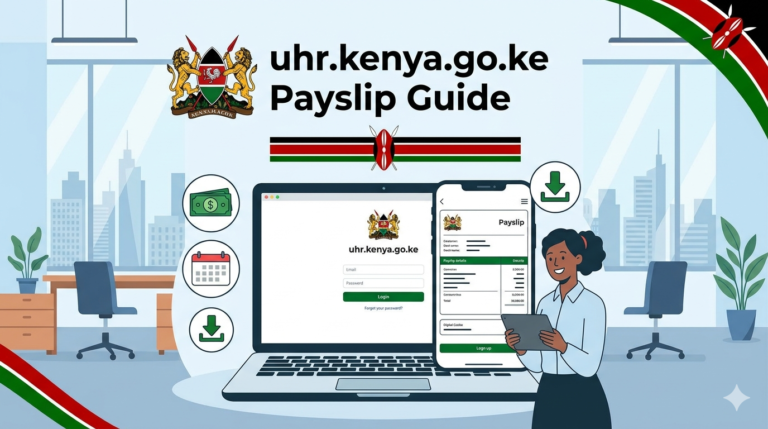
Navigating your financial landscape in Kenya requires clear visibility of your earnings and deductions. In 2026, accessing your payslip online is not just a convenience; it’s a standard practice, essential for budgeting, loan applications, and tax compliance.
This comprehensive guide demystifies the process, offering up-to-date instructions for all major platforms, ensuring you can securely view payslip details whether you’re a teacher, civil servant, or private sector employee.
What is a Payslip and Why Do Kenyans Need To View Payslip Information?
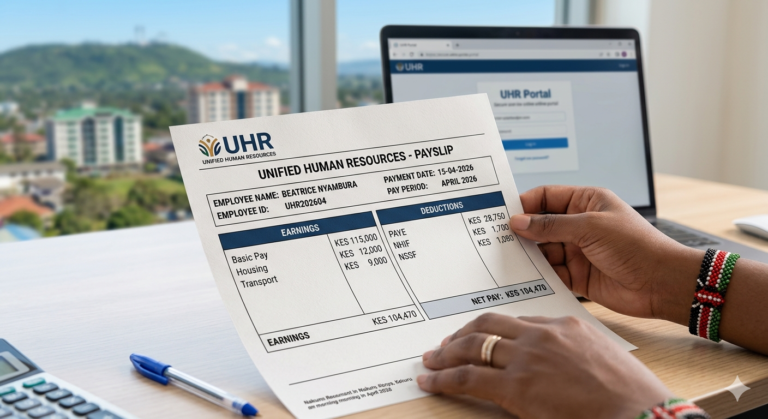
A payslip is a detailed document issued by an employer to an employee, outlining the gross pay, deductions, and net pay for a specific period. It serves as official proof of employment and income.
For Kenyans, accessing and understanding payslips is critical for several reasons, from financial planning to fulfilling statutory obligations.
Understanding Your Payslip: More Than Just a Number
Your payslip itemizes crucial financial data. This includes your basic salary, allowances (housing, transport), statutory deductions like PAYE (Pay As You Earn) to KRA, NSSF (National Social Security Fund), and NHIF (National Hospital Insurance Fund).
It also shows any voluntary deductions, such as Sacco contributions or loan repayments. Understanding each component empowers you to verify accuracy and plan your finances effectively.
The Legal Obligation and Your Rights
Under Kenyan labour laws, employers are legally obligated to provide employees with payslips. This ensures transparency and accountability regarding remuneration. Employees have the right to receive accurate and timely payslips, whether in digital or physical format.
Types of Payslips and Access Methods in Kenya (2026)
The digital transformation has reshaped how employees receive and view payslips in Kenya. While traditional paper payslips still exist in some sectors, online access is now the predominant and most secure method.
Digital Payslips: The Dominant Standard
Most employers in Kenya, both public and private, have transitioned to digital payslip systems. These platforms offer instant access, secure storage, and easy retrieval of current and historical payslips.
Expert Tip: Always bookmark your official payslip portal and enable two-factor authentication if available for enhanced security.
Physical Payslips: When They Still Apply
In smaller organizations or certain informal sectors, physical payslips might still be issued. These are typically printed and handed out directly by the employer or HR department.
How to View Your Payslip on Major Kenyan Platforms (2026)
Kenya’s digital infrastructure supports various online portals for payslip access. Here’s a breakdown of the most common ones and how to view payslip details for each:
GHRIS Payslip Portal: For Public Servants
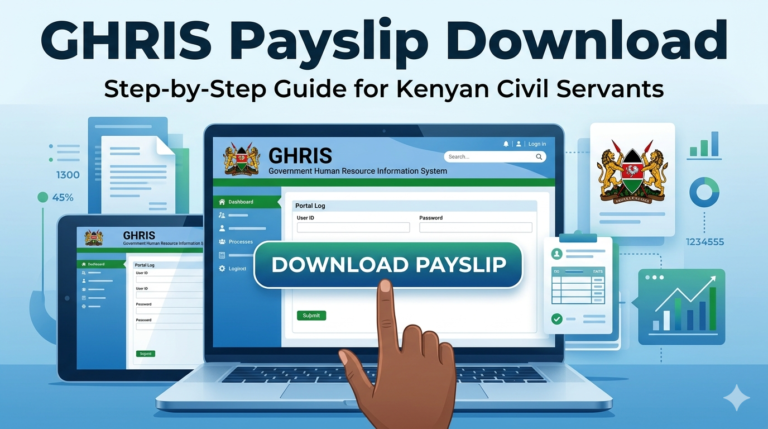
The Government Human Resource Information System (GHRIS) is the central platform for all public servants in Kenya. It provides access to payslips, P9 forms, and other HR-related information.
- Access the Portal: Go to the official GHRIS portal (ghris.go.ke).
- Login: Enter your employee number and password. If you’re a first-time user, you might need to register or reset your password using your ID number.
- Navigate: Once logged in, locate the ‘Payslips’ or ‘My Payslips’ section.
- Select Period: Choose the month and year for the payslip you wish to view.
- View/Download: Your payslip will display. You can download it as a PDF for printing or record-keeping.
Warning: Be wary of unofficial GHRIS links. Always verify you are on the legitimate ghris.go.ke domain to prevent phishing attempts.
TSC Payslip Login: For Educators
Teachers employed by the Teachers Service Commission (TSC) access their payslips through the TSC online portal.
- Visit the TSC Portal: Navigate to the official TSC online services page.
- Login: Use your TSC number and password. If you have forgotten your password, use the ‘Forgot Password’ option, which usually requires your ID number and TSC number.
- Access Payslips: Find the ‘View Payslips’ link within your dashboard.
- Filter: Select the relevant year and month to retrieve your desired payslip.
- Print/Save: View the payslip on-screen and use the print or download option as needed.
KRA Payslip and P9 Form Access: For Taxpayers
While KRA doesn’t issue payslips directly, they are crucial for filing your tax returns, especially the P9 form. Employers upload P9 forms to iTax.
- Login to iTax: Access the KRA iTax portal (itax.kra.go.ke).
- Go to Returns: Click on ‘Returns’ and then ‘File Returns’.
- Request P9: In some cases, employers directly provide P9 forms. For an individual employee, you typically receive your P9 from your employer, which summarizes your annual earnings and deductions.
- View/Download: You may also find a section to view your tax ledger which shows PAYE deductions remitted by your employer. Your P9 is essential for self-assessment.
eCitizen Payslip Services: Government Agencies & Private Sector
eCitizen serves as a single window for various government services. Some government agencies and even private companies integrate their HR systems with eCitizen for payslip distribution.
- Login to eCitizen: Go to eCitizen (ecitizen.go.ke) and log in with your ID number and password.
- Select Service: Navigate to the specific government agency service (e.g., County Government, particular ministry) or if your private employer uses eCitizen integration, find their service link.
- Access Payslips: Follow the prompts to access your payslip section, usually requiring an employee ID or unique identifier.
Private Sector HR Portals: Company-Specific Access
Most private companies in Kenya utilize dedicated HR management systems (HRMS) or payroll software (e.g., Sage, Workday, custom-built solutions) for payslip distribution.
- Your employer will provide you with a specific URL, username, and initial password.
- Login to this portal using your credentials.
- Locate the ‘Payslips’ or ‘Payroll’ section within the system.
- Select the desired month and year to view or download your payslip.
Essential Requirements and Timelines for Payslip Access
To successfully view payslip details online, you’ll generally need a few key items and an understanding of when payslips become available.
What You’ll Need to Get Started
- Employee Number/ID: Your unique identifier from your employer.
- Password/PIN: For secure access to your online portal.
- Internet Access: A stable connection is crucial.
- Device: A smartphone, tablet, or computer.
- Email Address (for registration/password reset): Often used for verification.
Understanding Payslip Issuance Cycles
Payslips are typically issued at the end of each pay period, most commonly monthly. This usually happens on or around the last day of the month, or sometimes a few days before payday. Your employer’s HR department can provide specific details on their payslip release schedule.
Step-by-Step Guide: Universal Principles for Viewing Your Payslip
Regardless of the platform, the core process to view payslip information follows these general steps:
- Identify Your Portal: Determine which online system your employer uses (GHRIS, TSC, eCitizen, or a private HR portal).
- Gather Credentials: Ensure you have your employee number/ID and password handy. Reset if forgotten.
- Access Securely: Open your web browser or dedicated app and type in the official portal URL directly. Avoid clicking suspicious links.
- Log In: Enter your accurate credentials into the login fields.
- Navigate to Payslips: Look for sections labeled ‘Payslips’, ‘Payroll’, ‘My Documents’, or similar.
- Select Period: Choose the specific month and year for the payslip you want to view.
- Review and Download: Carefully check the payslip for accuracy. Download it as a PDF or print a copy for your records.
Common Mistakes to Avoid When Accessing Your Payslip
While the process is generally straightforward, users can encounter issues. Avoiding these common mistakes ensures a smooth experience:
- Using Outdated Browsers: Ensure your browser is updated to the latest version for optimal security and compatibility.
- Forgetting Credentials: Keep your login details in a secure, easily retrievable place, or use a password manager.
- Ignoring Security Warnings: Never proceed on a website flagged as insecure by your browser.
- Falling for Phishing Scams: Always verify the URL. Official portals will have secure ‘https://’ connections and legitimate domain names.
- Not Checking All Deductions: Always review every line item on your payslip to ensure accuracy and identify any unexpected charges.
Quick Poll: How do you typically access your payslip?
A) Official online portal (GHRIS, TSC, private HRIS)
B) Via email from HR
C) Printed physical copy
D) Through a third-party app
Deep Insight: Navigating Kenya’s Digital Payslip Landscape (2026 Comparison)
In 2026, Kenya’s digital payslip ecosystem is robust but fragmented. Understanding the nuances of each major platform helps you manage your financial records efficiently.
| Portal | Primary Users | Access Method | Key Features | Pros | Cons |
|---|---|---|---|---|---|
| GHRIS | Government Civil Servants | Web Portal (ghris.go.ke) | Payslips, P9s, Pension details, HR services. | Centralized, comprehensive for public sector. | Can be slow, occasional technical glitches. |
| TSC Portal | Teachers (TSC) | Web Portal (tsc.go.ke) | Payslips, P9s, Leave management, Loan applications. | Tailored for teachers, integrated services. | Can experience high traffic during peak times. |
| KRA iTax (P9) | All Taxpayers (P9 access) | Web Portal (itax.kra.go.ke) | Tax returns, P9 forms (employer provided), Tax compliance. | Essential for tax obligations, secure. | Not a direct payslip portal, P9 depends on employer. |
| eCitizen | Select Gov’t Agencies & Private Sector partners | Web Portal (ecitizen.go.ke) | Various Gov’t services, some payslip distribution. | Convenient for integrated services. | Payslip access is service-specific, not universal. |
| Private HR Portals | Private Sector Employees | Company-specific URL/App | Payslips, Leave, Performance, Employee self-service. | User-friendly, often feature-rich, integrated. | Varies widely by company, potential for vendor lock-in. |
This overview highlights the varied approaches employers take. Understanding which portal applies to you is the first step to seamless payslip access. For those seeking financial leverage, remember your payslip is a key document. You can Get quick loans here, often requiring recent payslips for verification.
Future Trends: The Evolution of Payslip Management in Kenya
The landscape of payslip management in Kenya is continually evolving. By 2026, we anticipate several key trends:
- Increased Mobile Integration: More dedicated mobile apps for payslip access, making it even more convenient.
- Blockchain for Security: nascent adoption of blockchain technology for enhanced security and immutability of payroll records, reducing fraud risks.
- AI-Powered Insights: AI tools analyzing payslip data to offer employees personalized financial planning advice or expense tracking.
- API Integration: Seamless integration of payroll systems with banking apps and other financial services for a holistic financial view.
Frequently Asked Questions About Viewing Your Payslip
Q1: Is it safe to view payslip information online?
A: Yes, generally. Official government and reputable private sector portals use advanced encryption and security protocols to protect your data. Always ensure you are on the correct, secure URL (starting with ‘https://’).
Q2: What if I forget my password for my payslip portal?
A: Most online portals have a ‘Forgot Password’ or ‘Reset Password’ option. This usually requires your employee ID, national ID number, and sometimes an email address or phone number for verification. Follow the prompts carefully.
Q3: Can my employer refuse to give me a payslip?
A: No. Under Kenyan labour laws, employers are legally required to provide employees with a payslip for each pay period. If an employer refuses, you have the right to report this to the Ministry of Labour.
Q4: How do I get my P9 form if I’m self-employed?
A: If you are self-employed, you do not receive a P9 form as it’s issued by employers for PAYE. Instead, you maintain accurate records of your income and expenses to declare your taxes directly to KRA via iTax.
Q5: How long should I keep my payslips?
A: It’s advisable to keep your payslips for at least 5-7 years. They are crucial for tax purposes, loan applications, pension claims, and resolving any pay-related discrepancies.
Q6: Are there M-Pesa services for payslip notifications or access?
A: While M-Pesa itself doesn’t host payslips, some employers integrate M-Pesa for salary disbursements and may send SMS notifications upon payslip generation. Direct payslip access via M-Pesa is not common; it primarily acts as a payment channel.
Conclusion: Secure Your Financial Future with Easy Payslip Access
Accessing and understanding your payslip is a fundamental aspect of personal financial management in Kenya. By utilizing the official online portals and following secure practices, you maintain complete control and transparency over your earnings.
Embrace the digital convenience of 2026 to view payslip details efficiently, ensuring your records are always up-to-date for any financial or legal requirement. Staying informed protects your financial well-being and empowers you to make smarter decisions about your money.
Sources:
GHRIS Portal
Teachers Service Commission
Kenya Revenue Authority (KRA)
eCitizen Portal
Business Daily Africa
Kenya National Bureau of Statistics (KNBS)